

Green Bay Packers Mobile Ticketing
Packers Mobile Ticketing
Sign in to My Packers Account
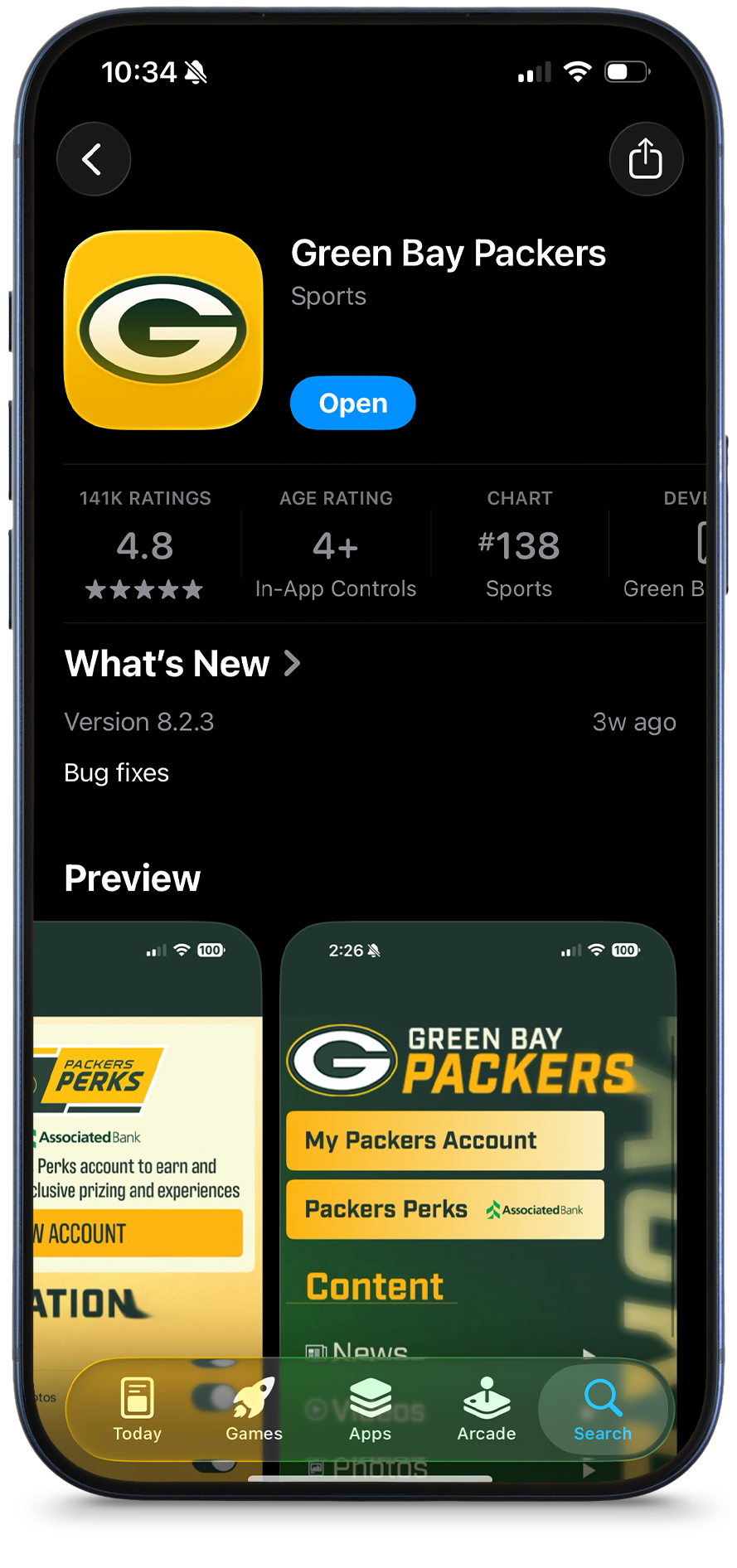
Step 1
Download or update the Green Bay Packers mobile app.
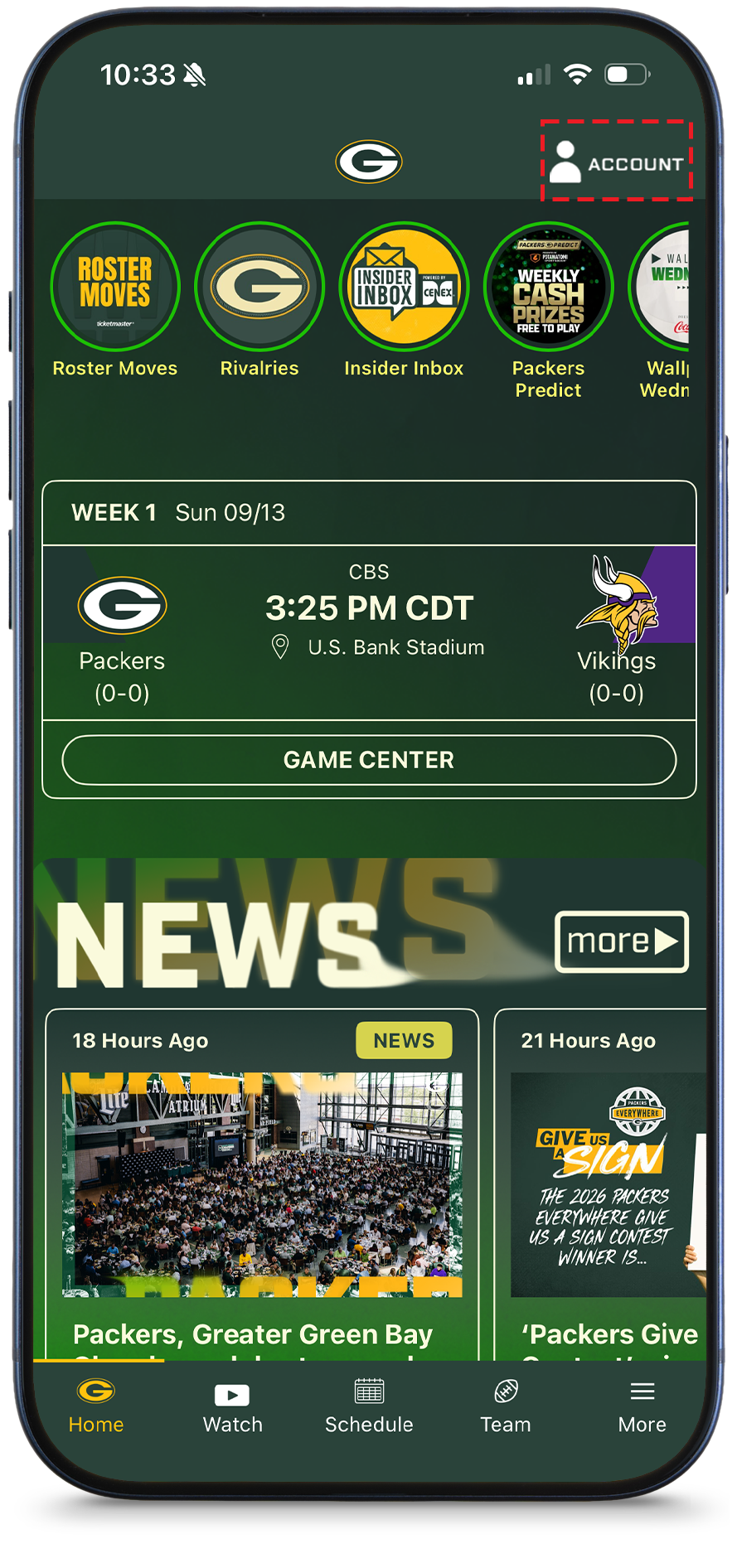
Step 2
Tap on 'Account' at the top right of the home screen.
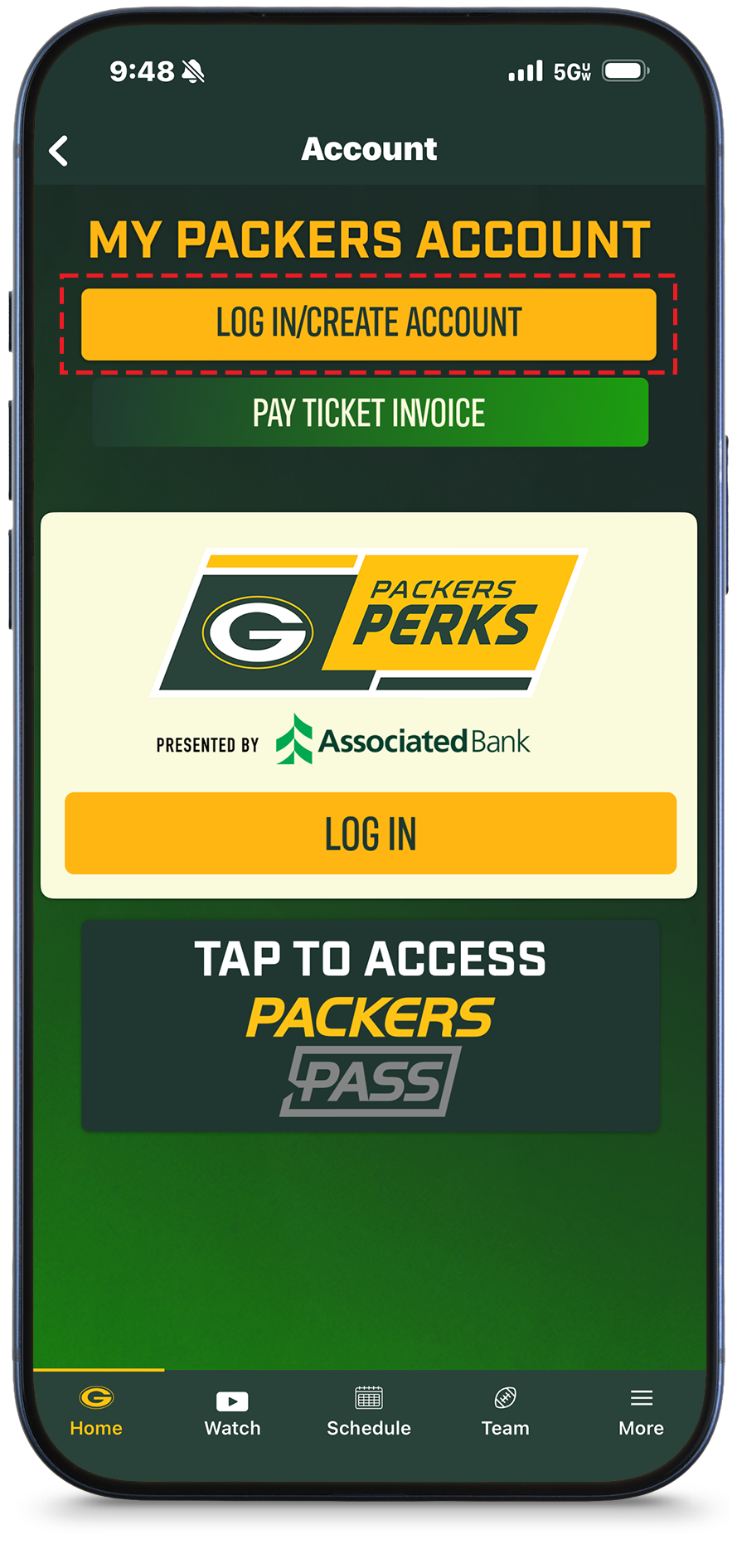
Step 3
Tap on 'Log In/Create Account' and log in with the email and password associated with your account.
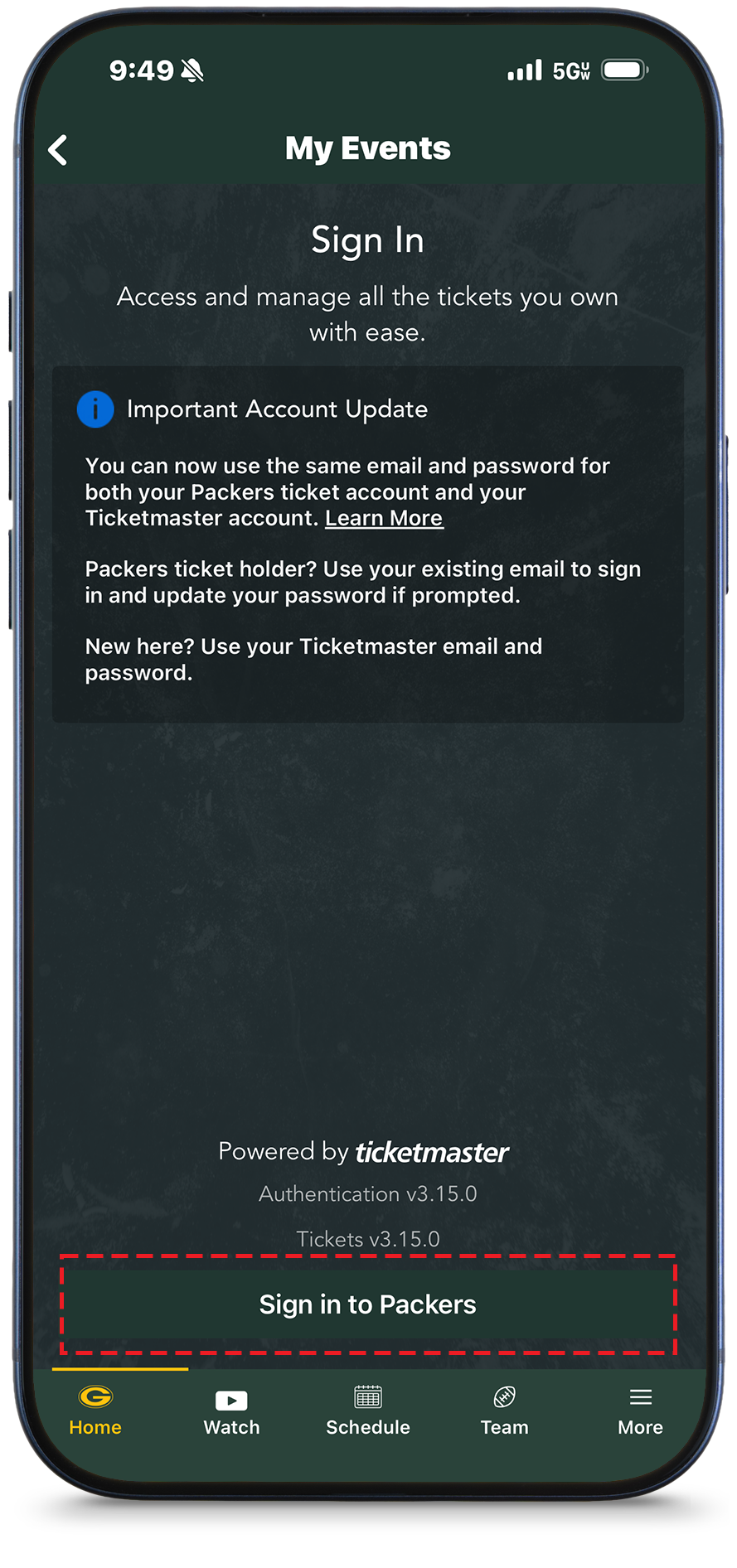
Step 4
Tap on 'Sign in to Packers'
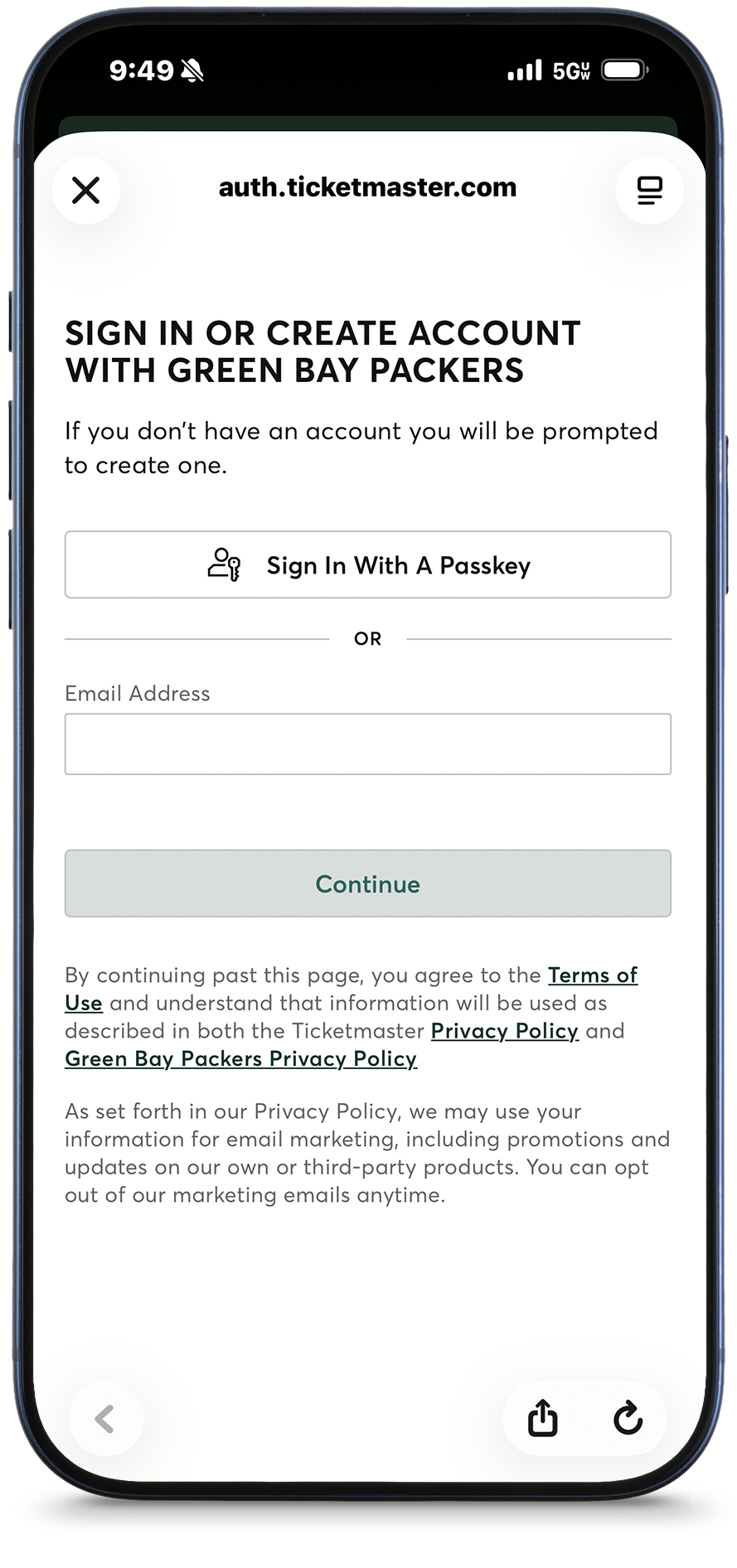
Step 5
Log in with the email and password associated with your account.
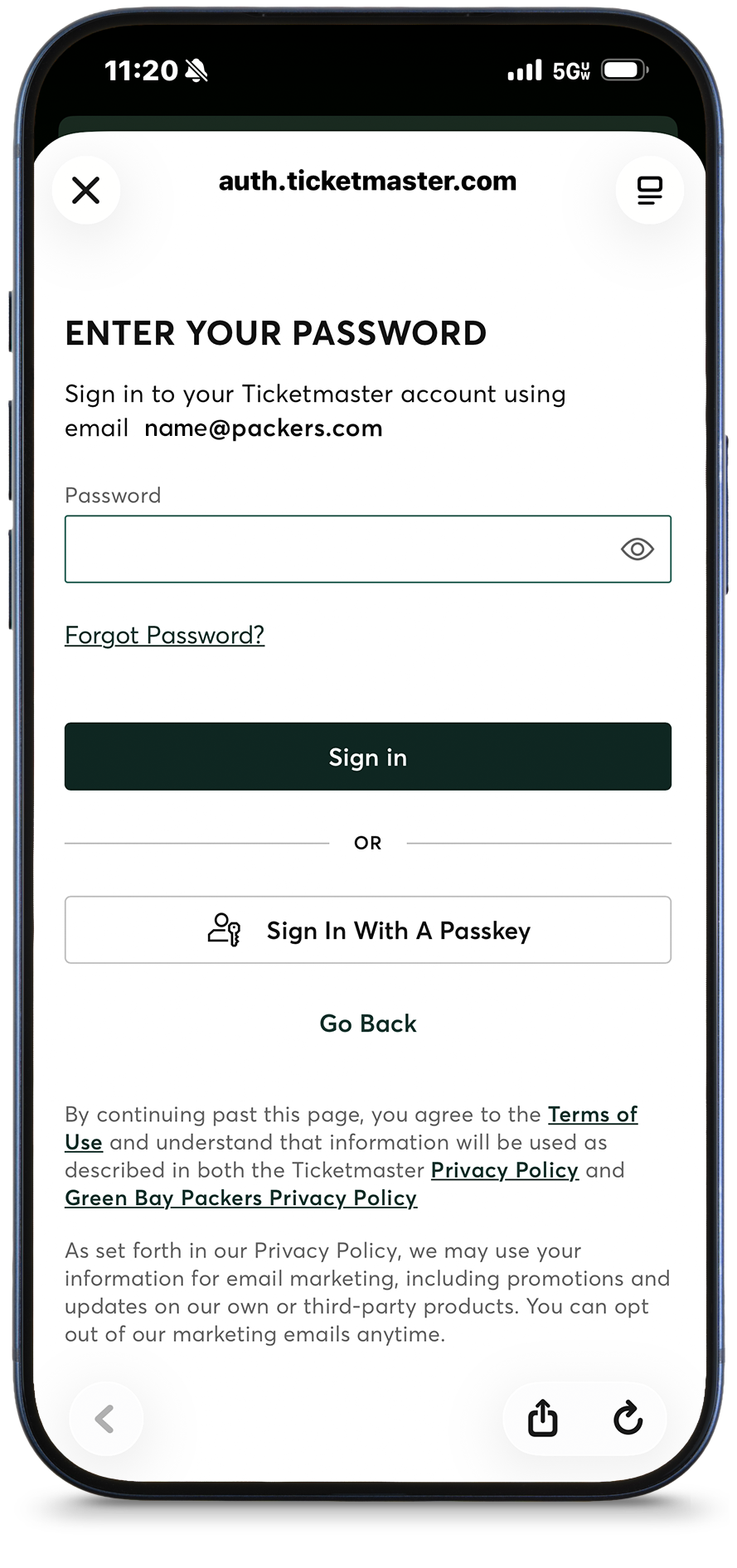
Step 6
If this is your first time signing in to the Packers app or you do not remember your password, click "Forgot Password" and follow the prompts to set up a password (12 characters are required).
View Your Tickets
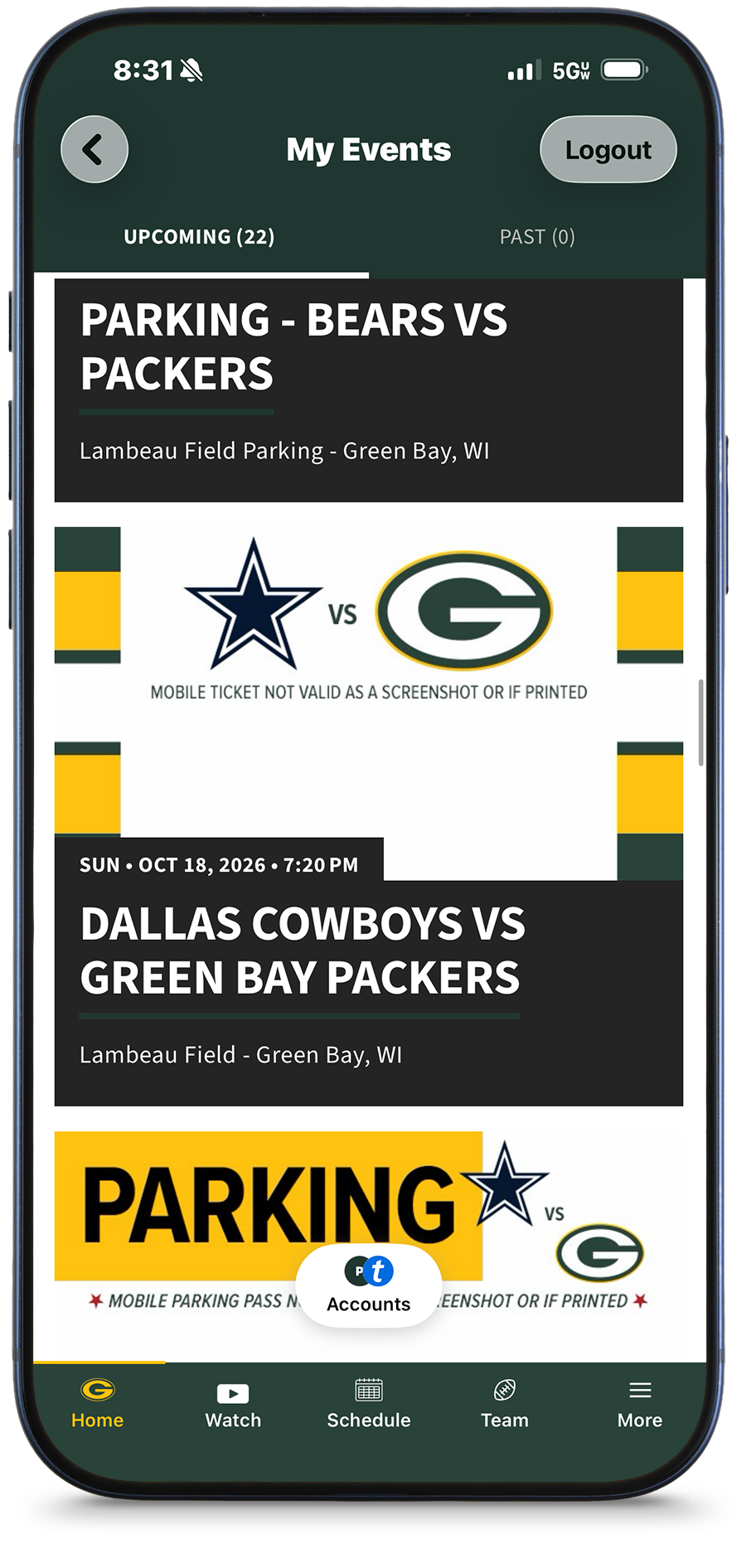
Step 1
You will see a listing for the game(s) you purchased. Tap on the game you wish to access.
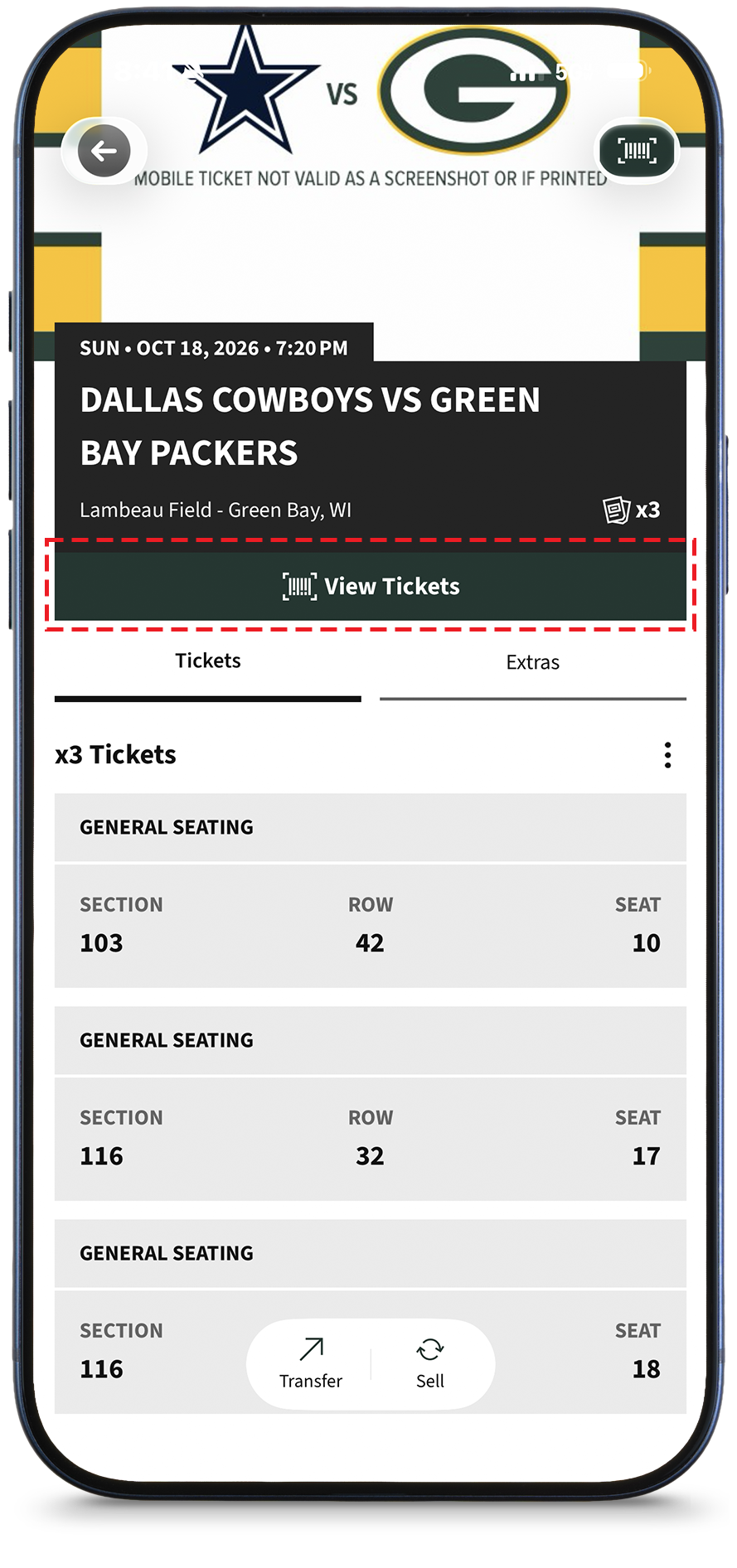
Step 2
You will now see each of your tickets. If you are ready to enter the stadium, tap on 'View Ticket'.
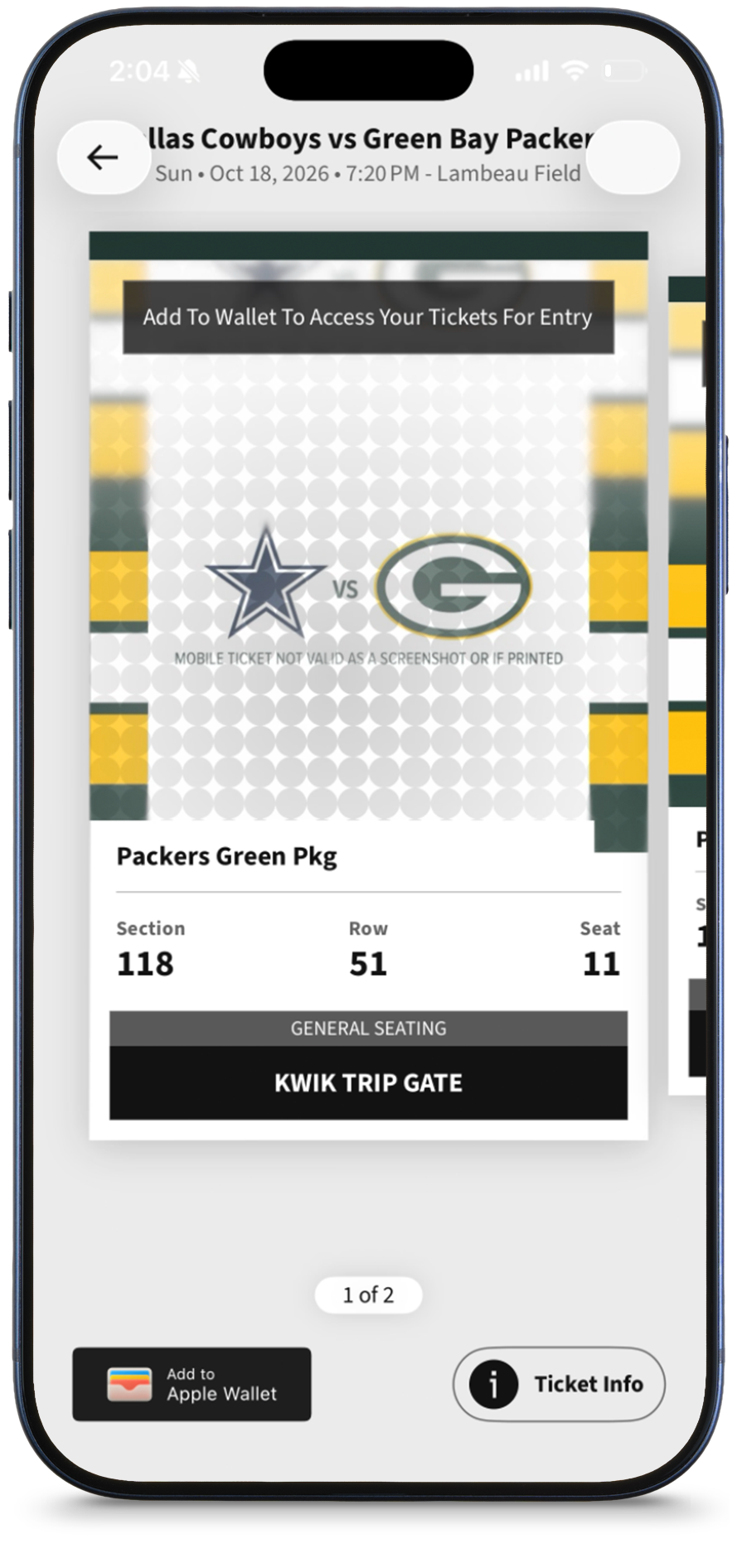
Step 3
This is your ticket. Present your ticket at the gate and the code will be scanned for entry. Screenshots of the ticket will not be accepted. If able, we recommend saving the ticket to your phone's wallet.
A barcode will appear closer to the time of the game. Please note, a barcode will not appear if the ticket is in your mobile wallet.
Transfer Your Tickets
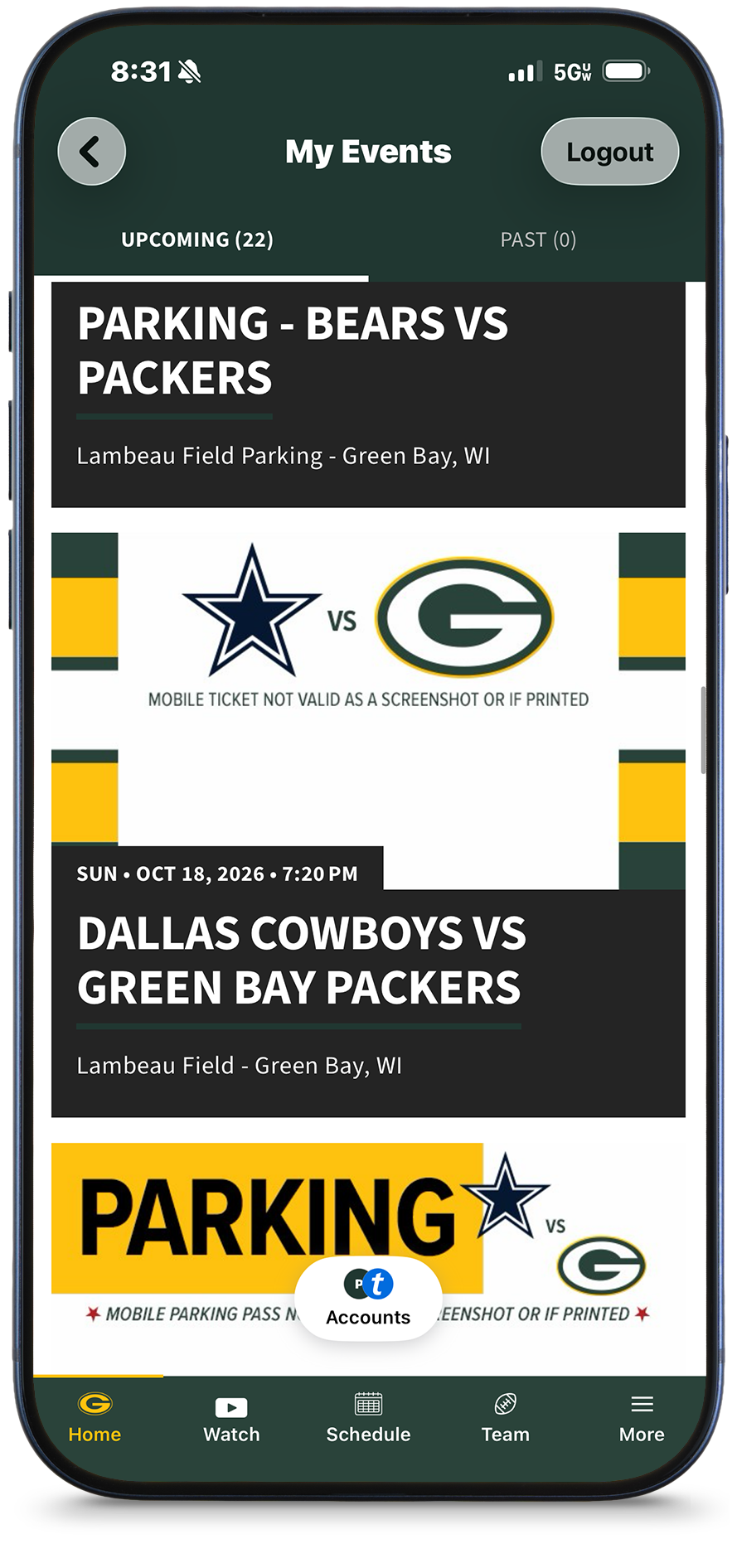
Step 1
Your games will be listed. Tap on the game you wish to access.
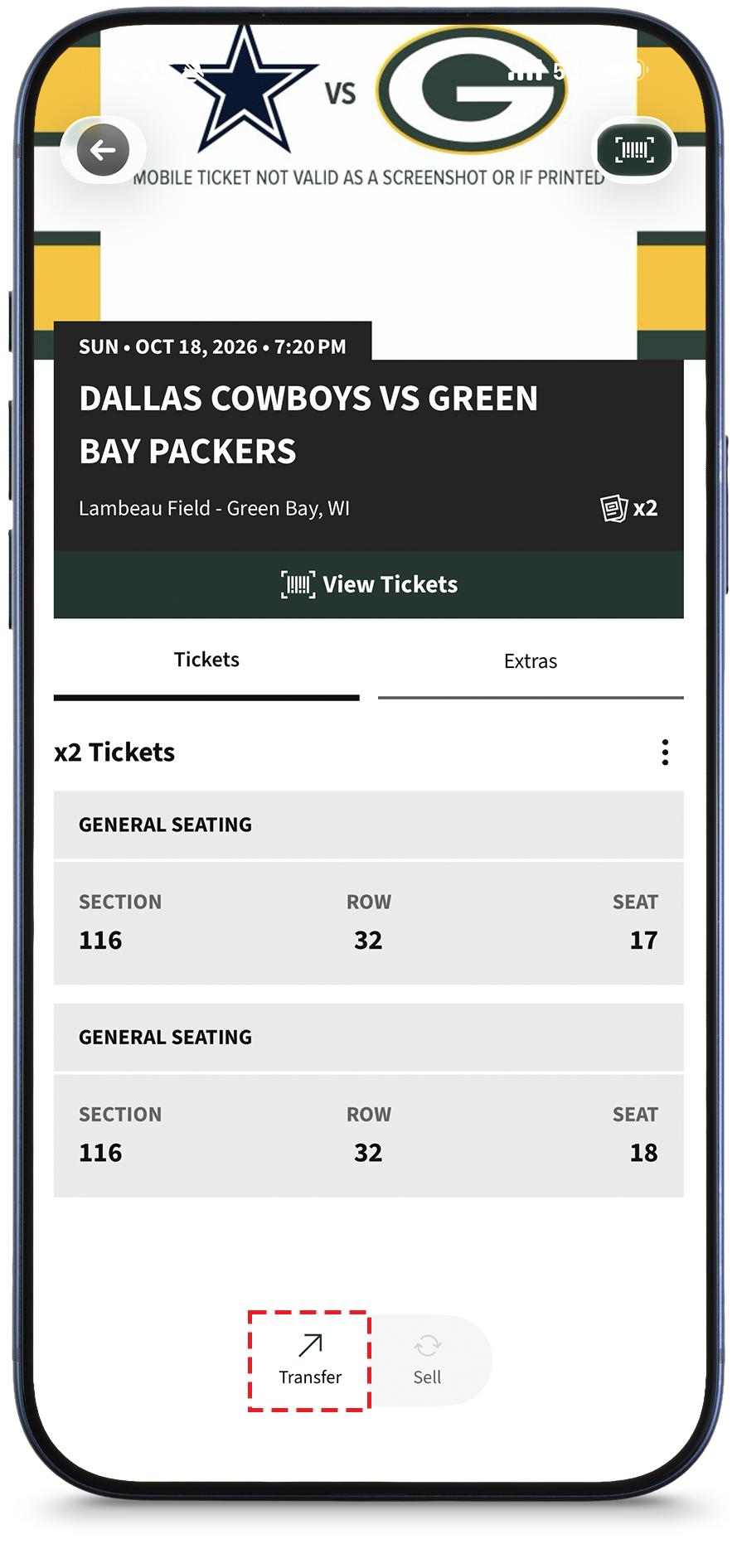
Step 2
Within the game ticket screen, tap the 'Transfer' button.
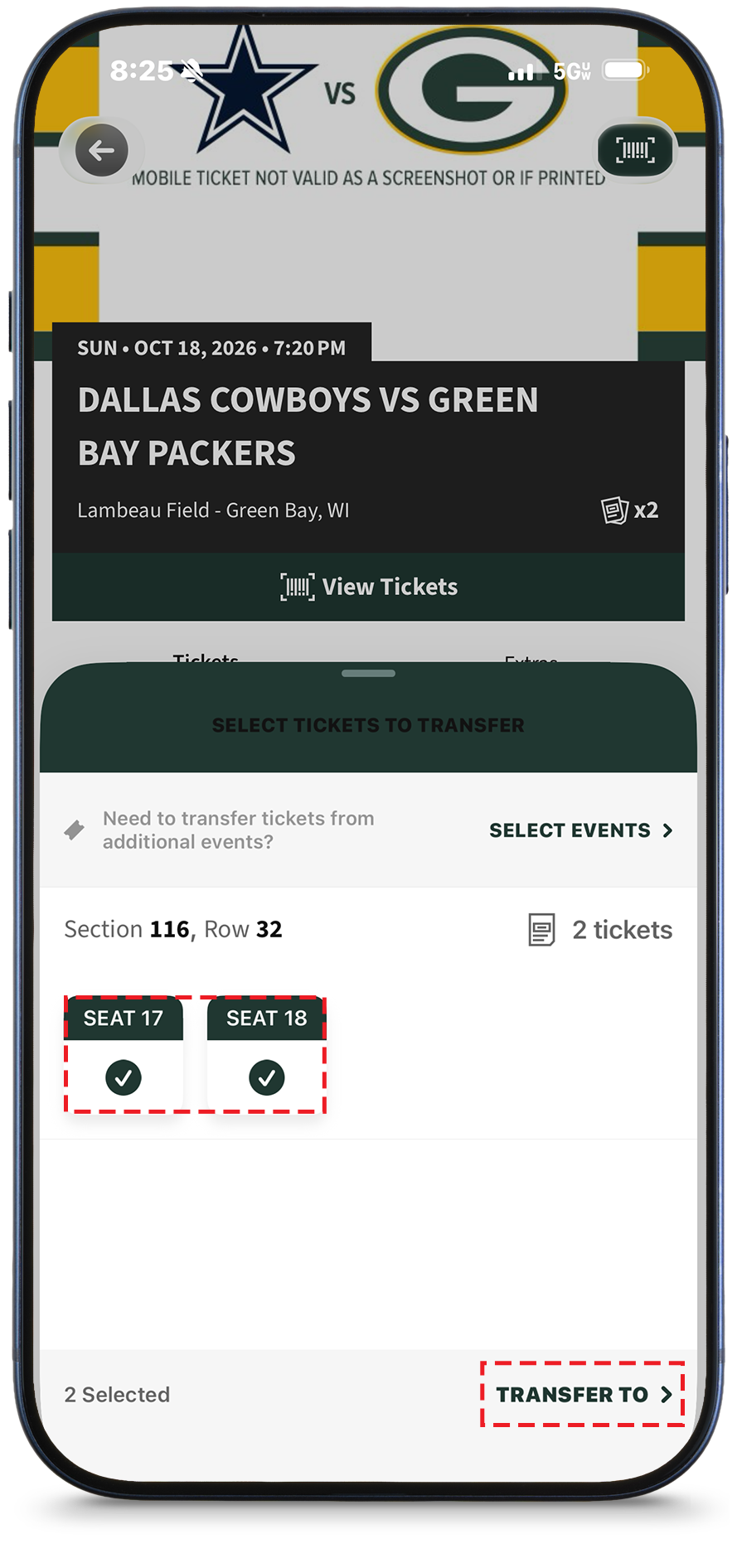
Step 3
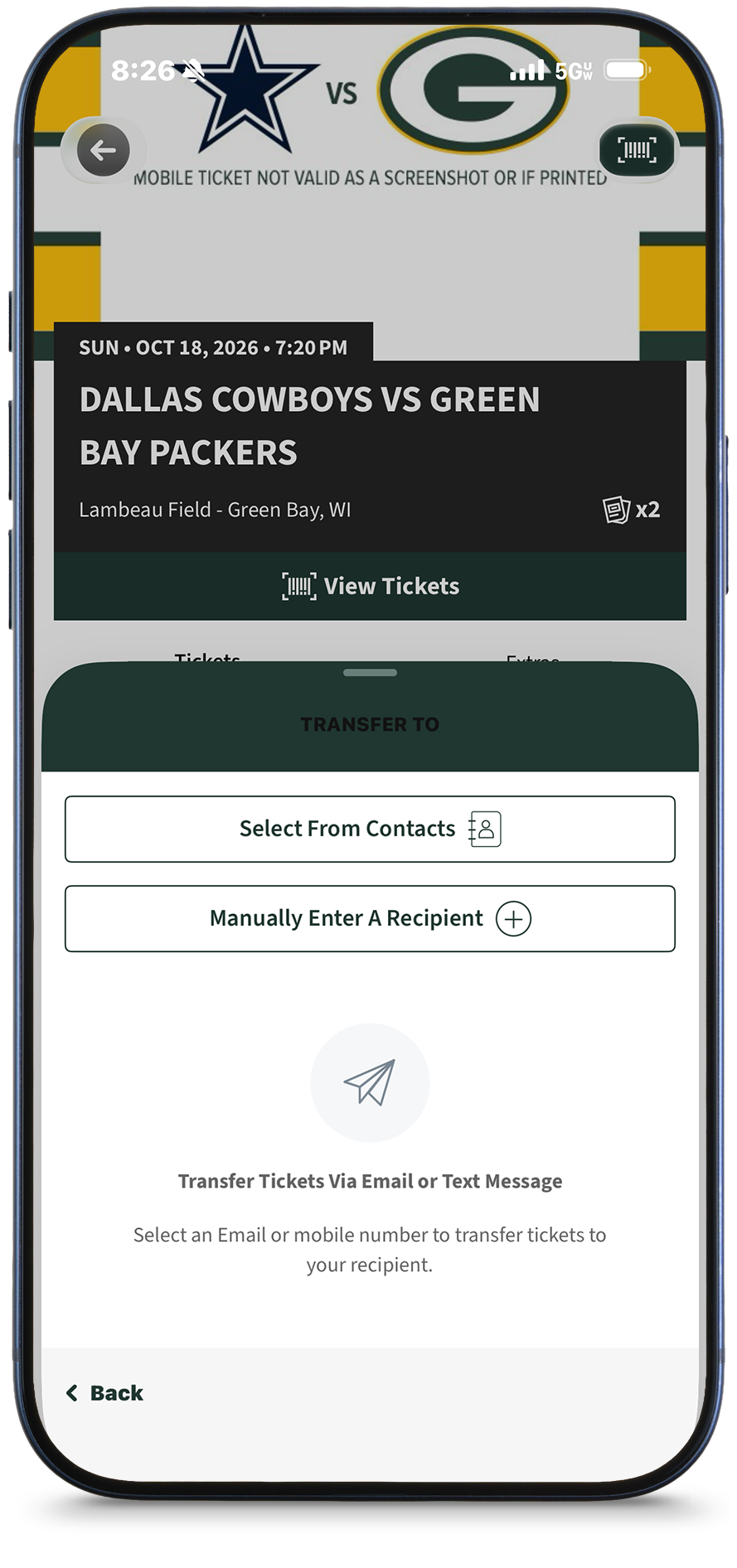
Select all of the tickets you wish to transfer and tap 'Transfer To' on the bottom of the screen.
Step 4
Select from contacts or manually enter a recipient and fill out the required information. You are able to send a ticket transfer via email or text.
When your guest accepts tickets through email, or clicks on the link provided via text message they will be prompted to create an account to accept the transfer and access the tickets. Once the recipient accepts the transfer offer, the tickets will be removed from your account.
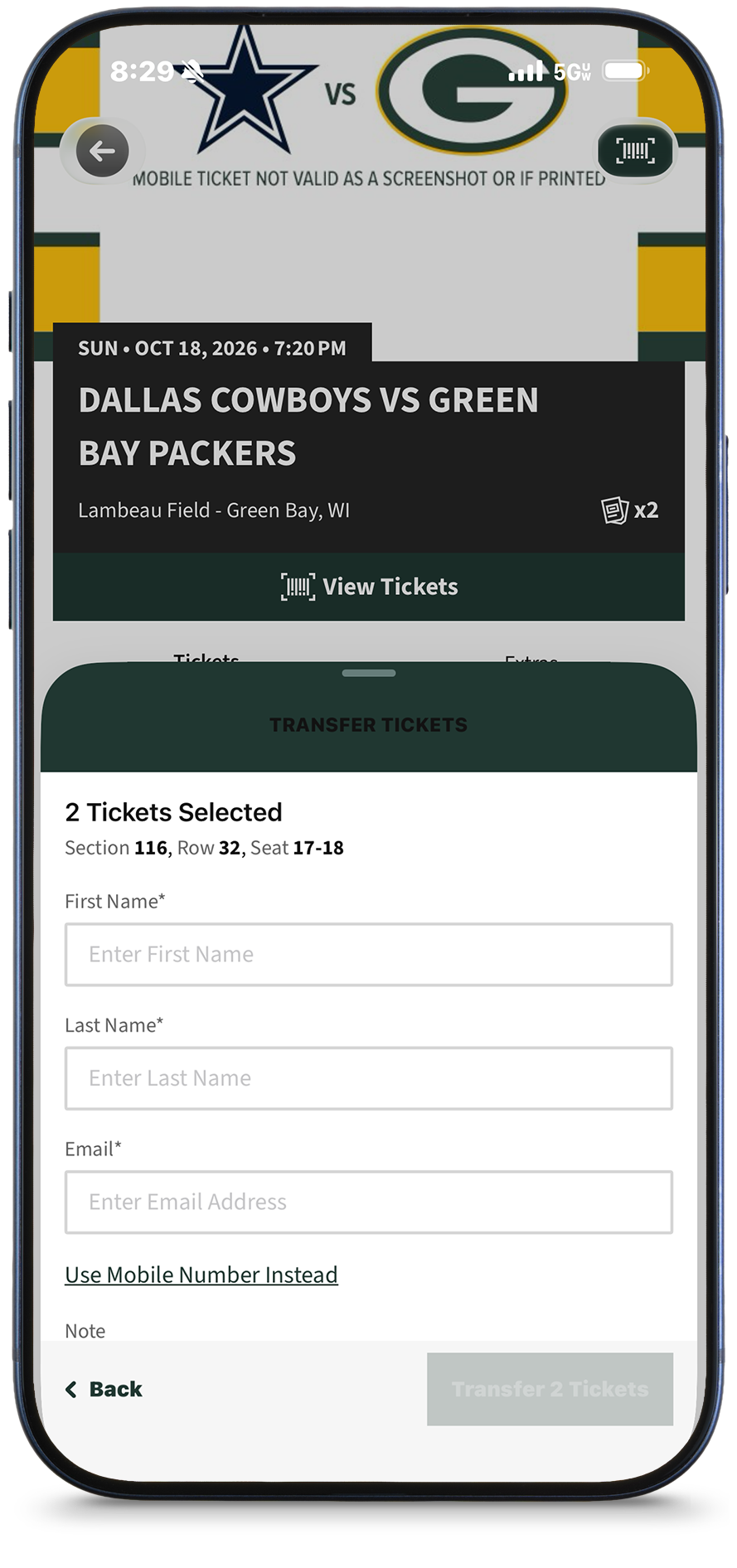
Step 5
If you decide to manually enter a recipient, enter their information.
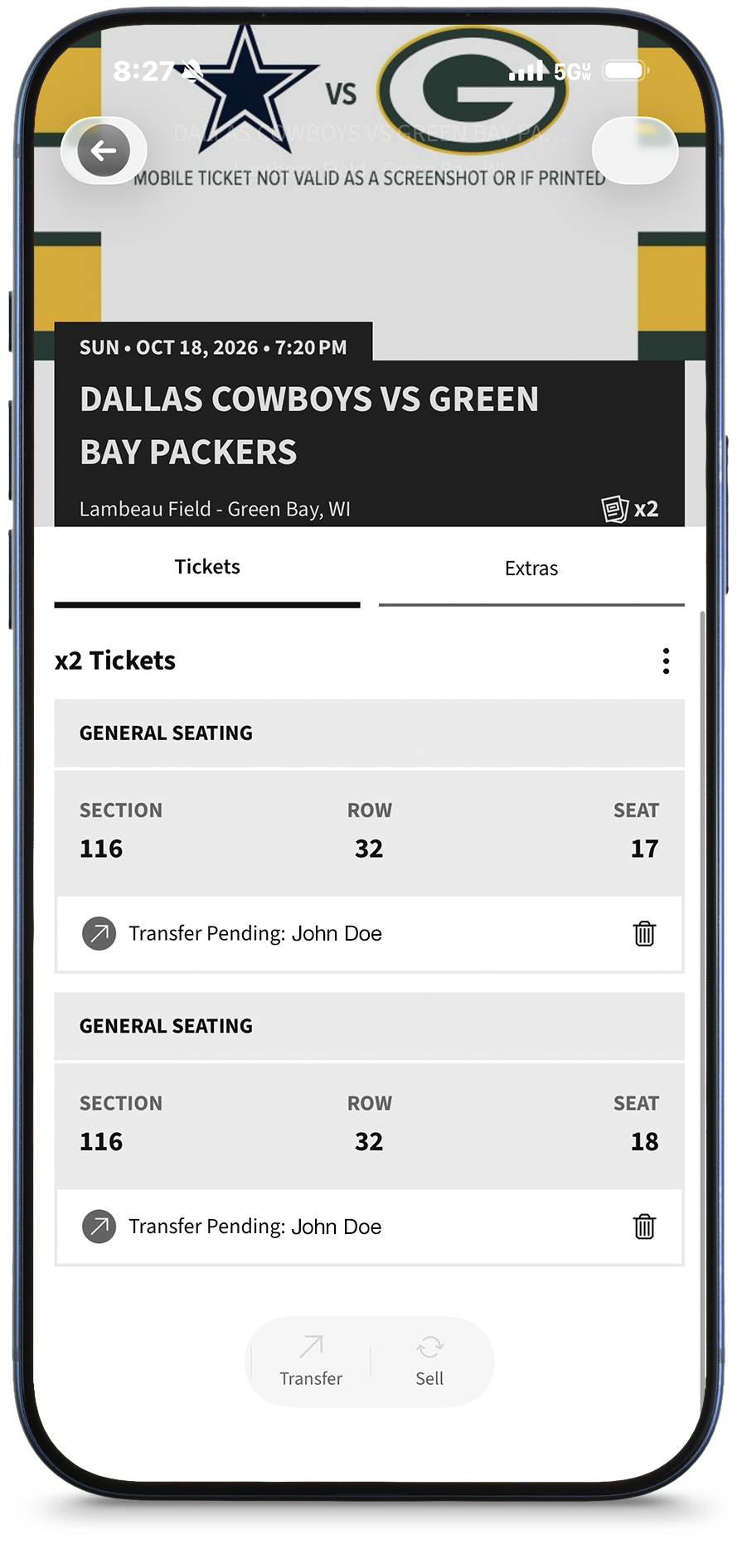
Step 6
Once the tickets have been transferred, this is how they will appear in the Packers app.
How to Claim Tickets Sent to You
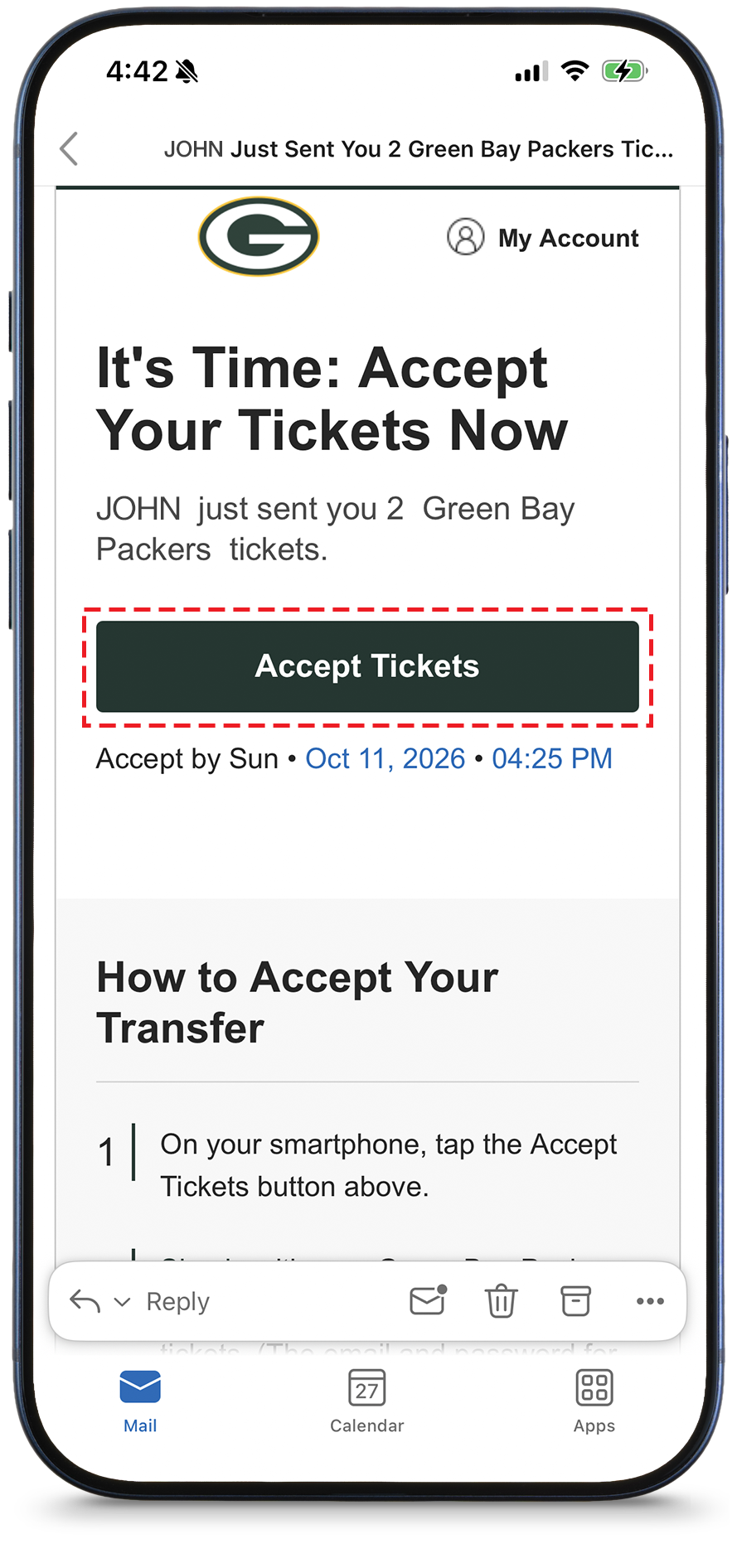
Step 1
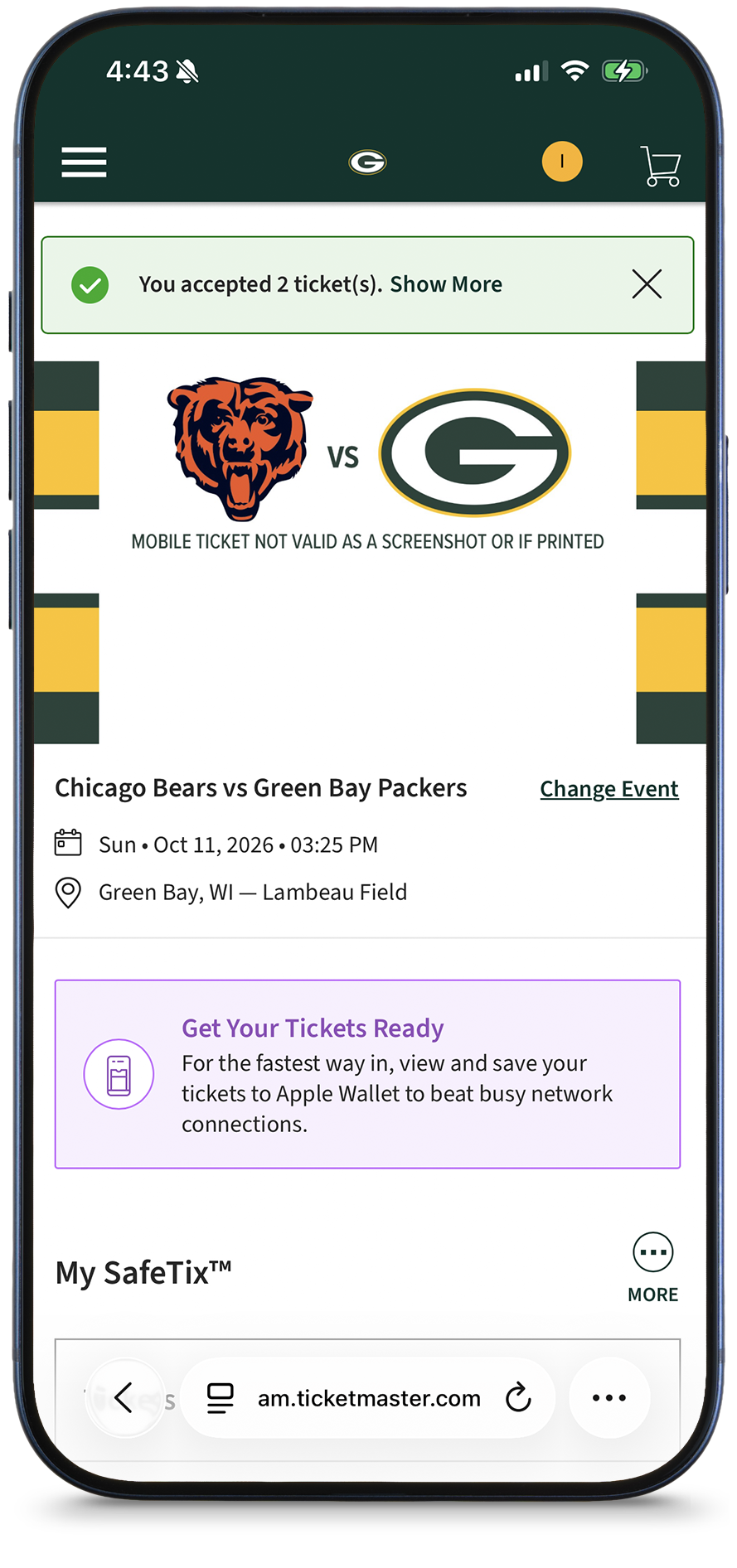
Select 'Accept Tickets' to view the tickets in your account.
Step 2
You should now see the tickets available in your account.
Download/use the Packers Mobile App to view and download your tickets for easy entry into Lambeau Field (See the above 'View Your Tickets' for additional details).
Sell Your Tickets
Step 1
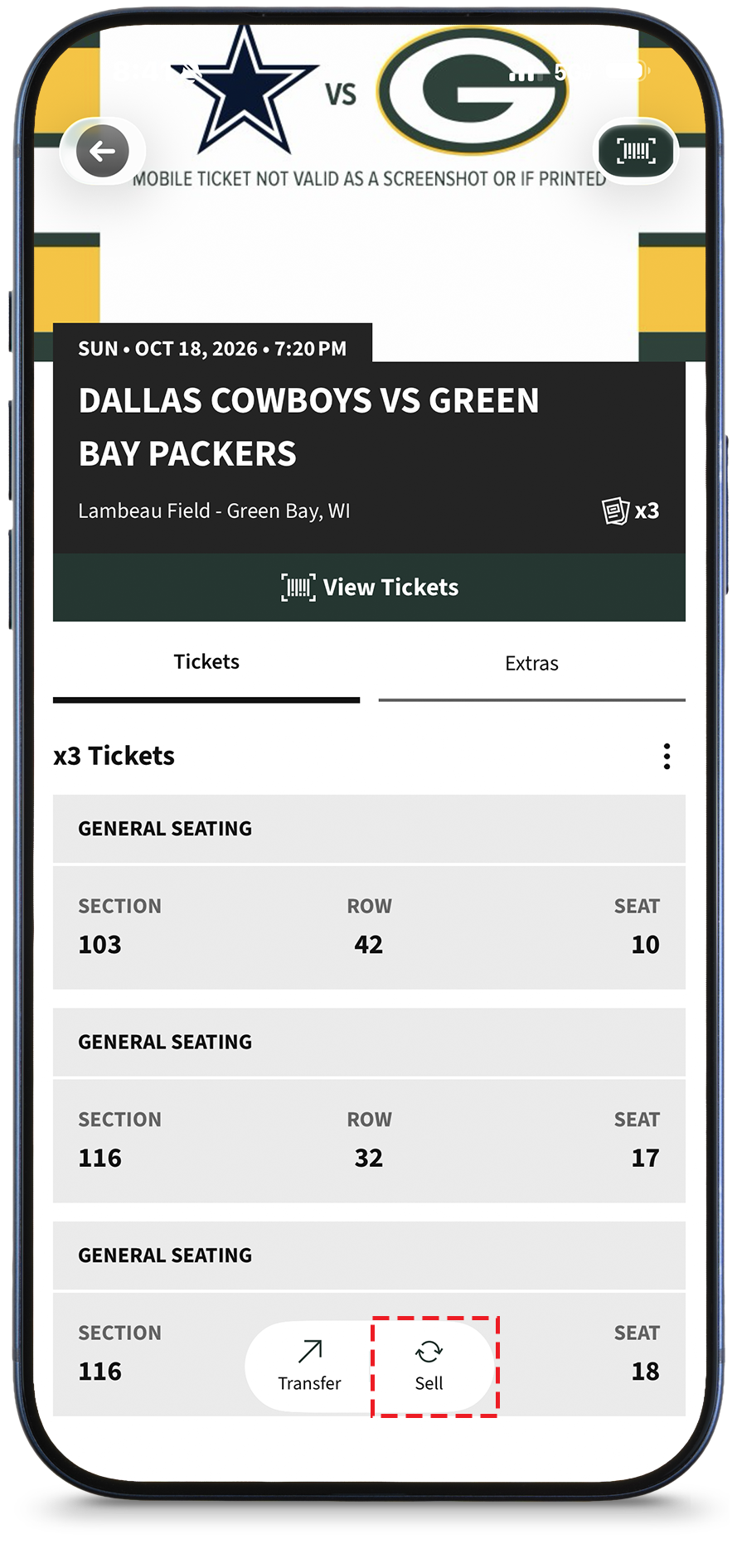
Click on the "Sell" button and follow the prompts to post the ticket(s) for sale.
Add to Wallet
Step 1
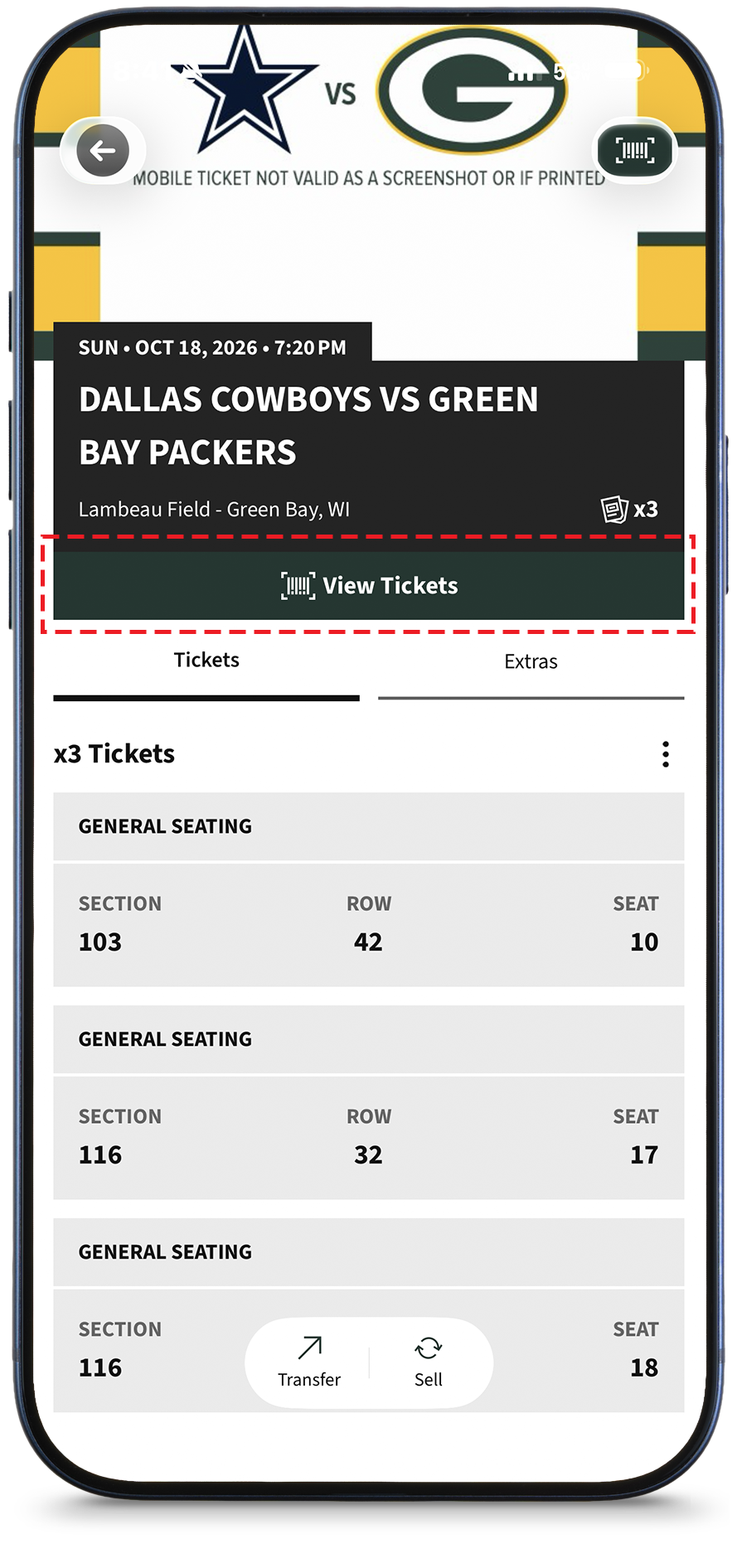
Find the tickets that you wish to add to your wallet and select 'View Ticket'. The tickets can be viewed directly from the app or from the wallet.
Step 2
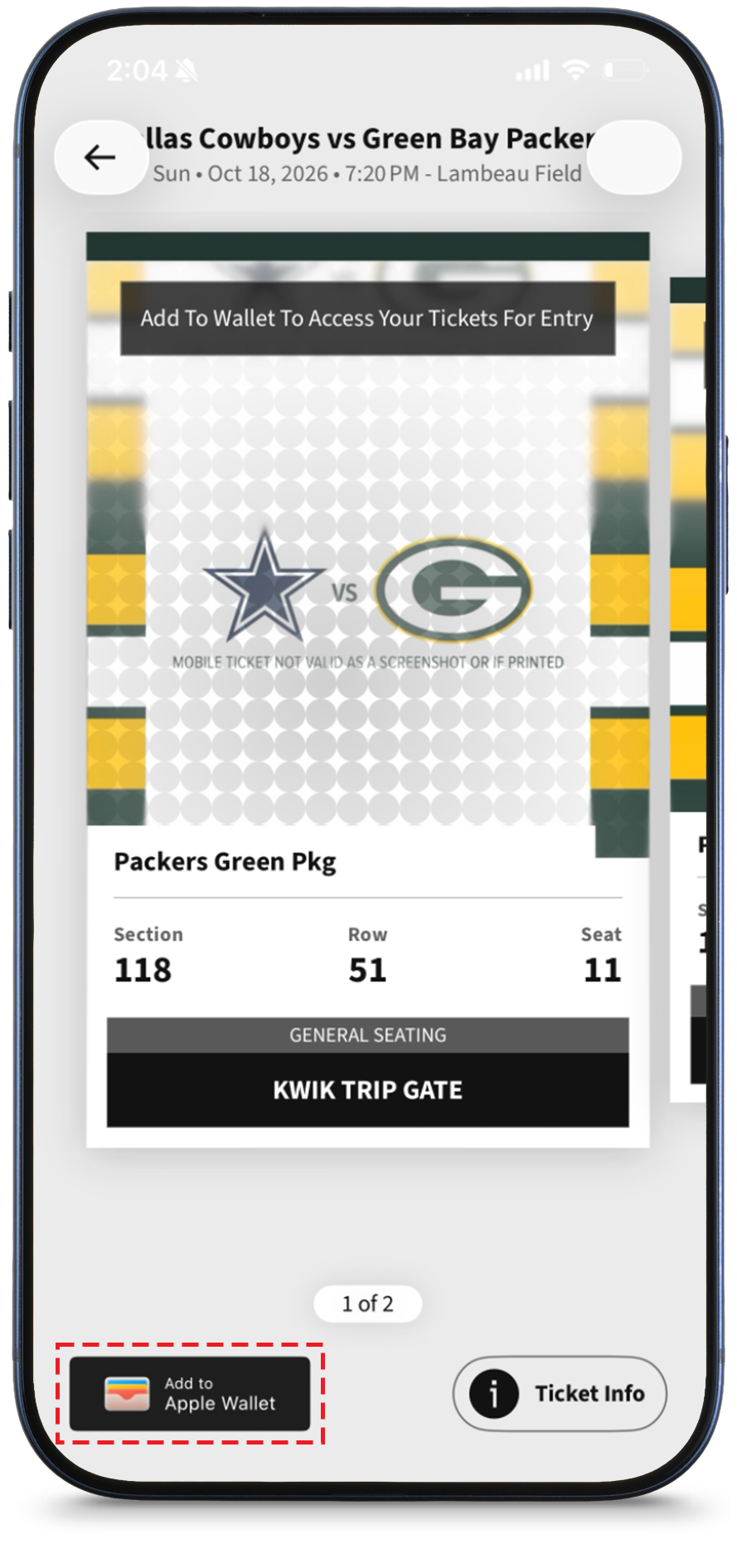
Select your tickets that you wish to add to your wallet. Click on Add to Apple Wallet.
Reminder to fans:
• To use the app's "Add to Wallet" function, users should also ensure their mobile devices have the most up-to-date operating system installed before coming to Lambeau Field on gameday; iOS 16.4 or later or Android 8 or later
• Additionally, iPhone users must ensure that no tickets within their Ticketmaster account have been downloaded to another user's Apple Wallet. Ticketmaster accounts can only be linked to one Apple ID. If ticket holders want to allow someone else to use their tickets, they should transfer the tickets using the instructions listed above rather than providing their Packers account login details to a different iPhone user.
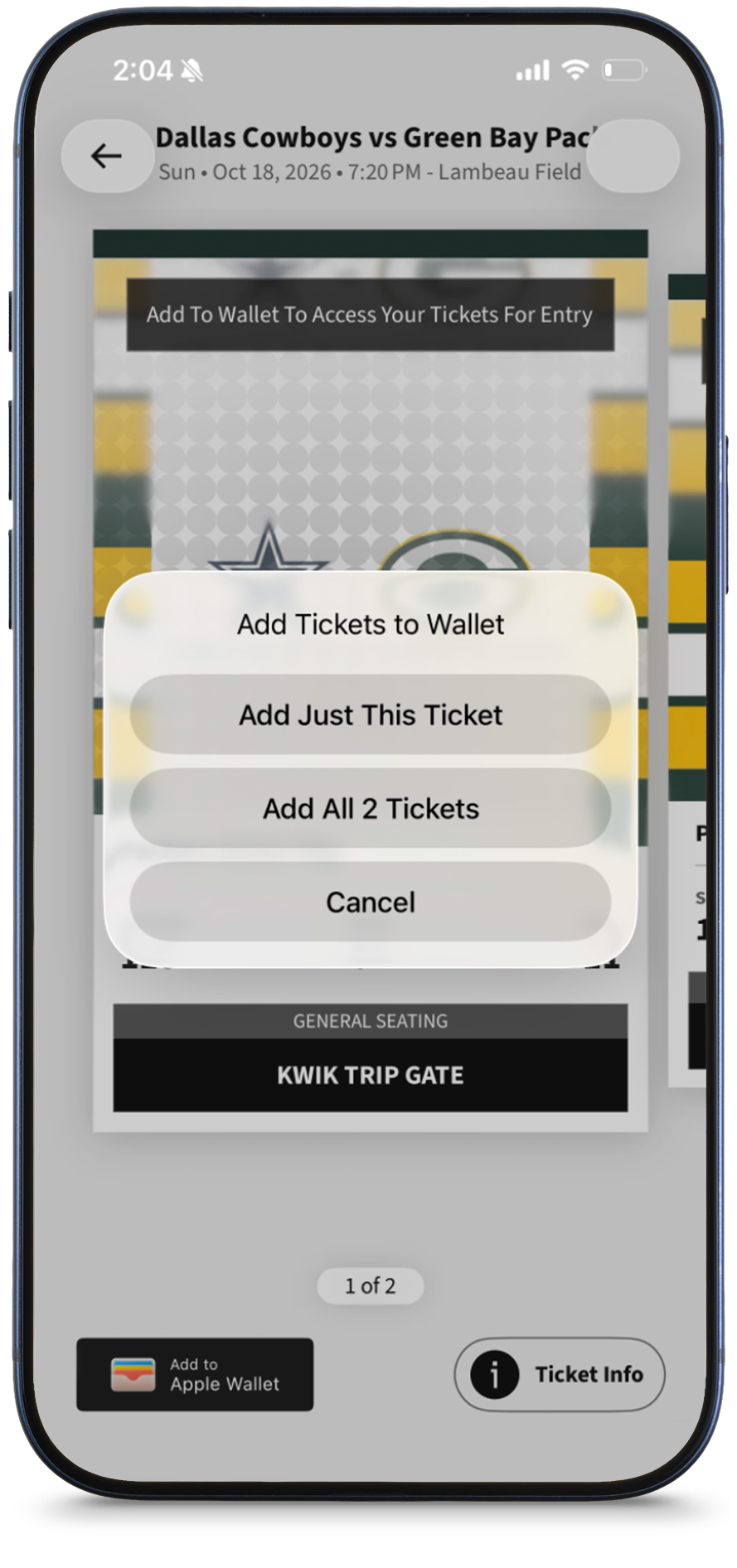
Step 3
Add tickets to your wallet by choosing an option.
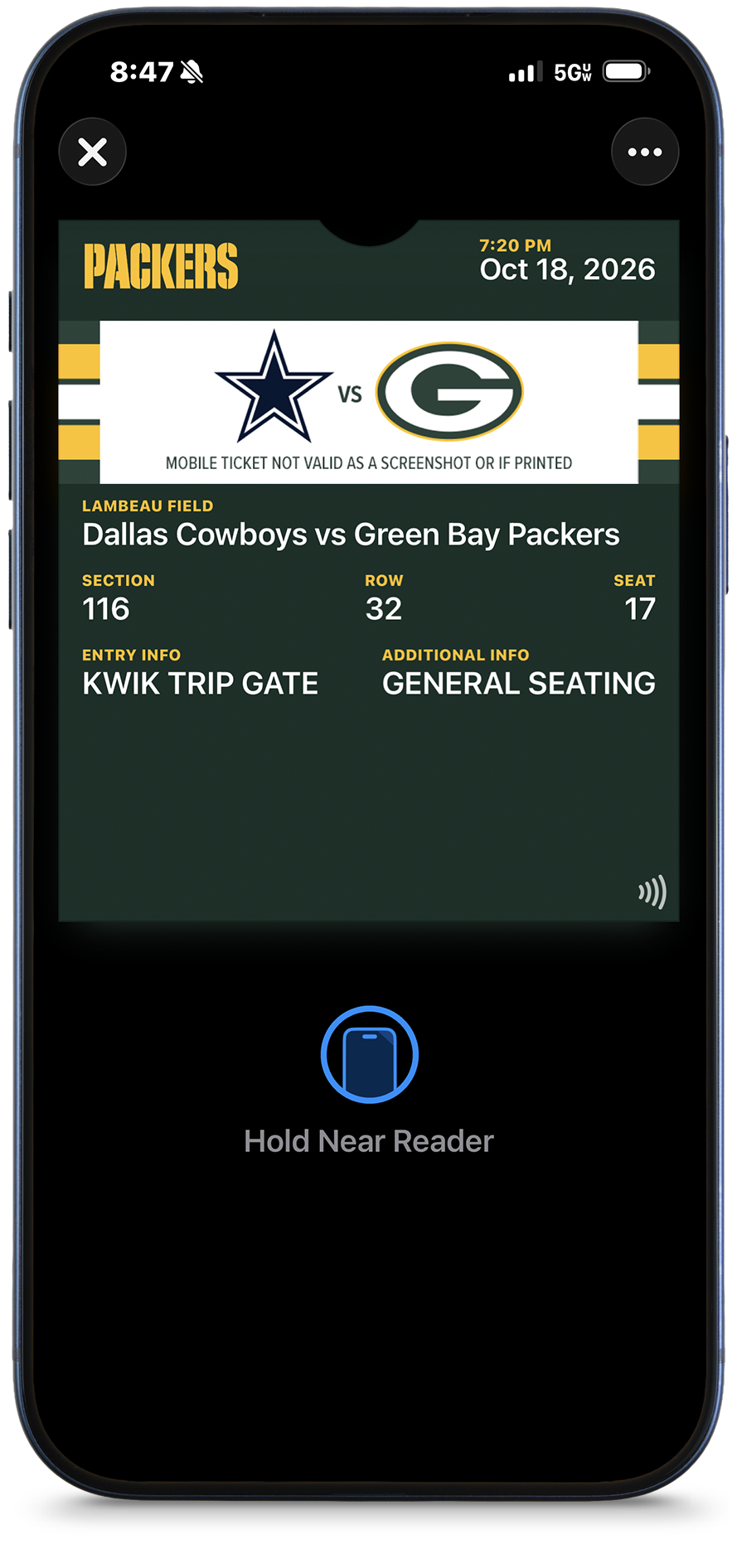
Step 4
View the tickets in your Apple Wallet.
Transfer Tickets via a Desktop
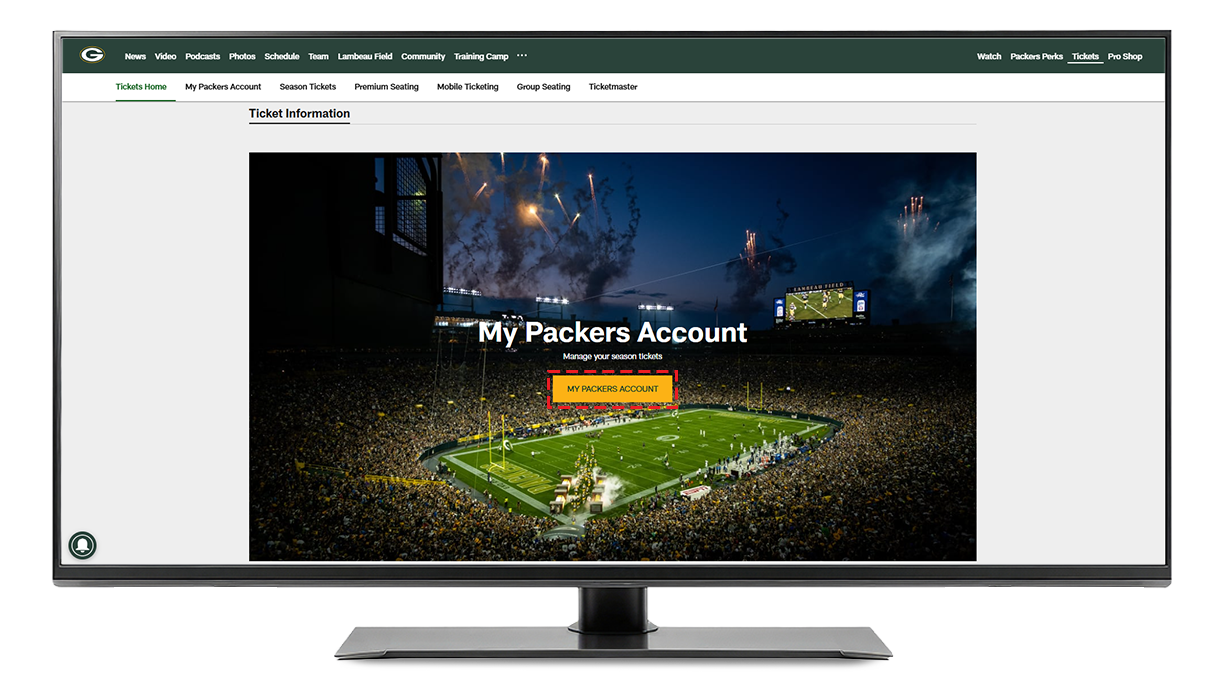
To Begin
To begin, visit packers.com/tickets and click on 'My Packers Account'.
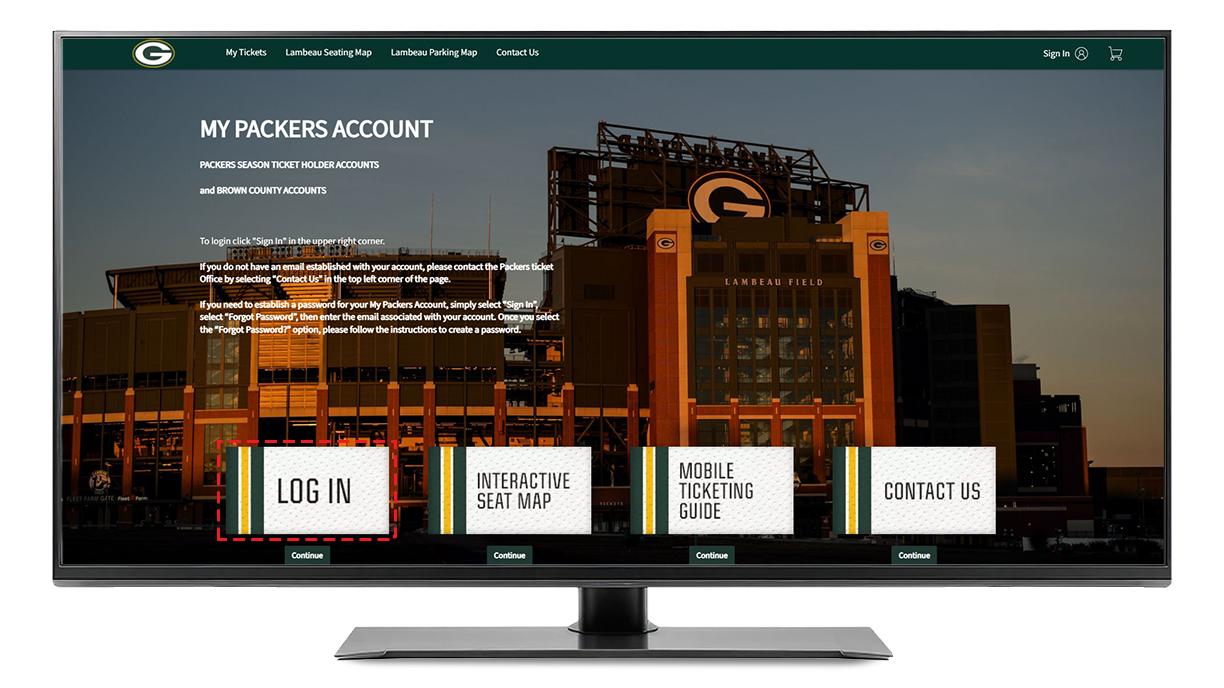
Step 1
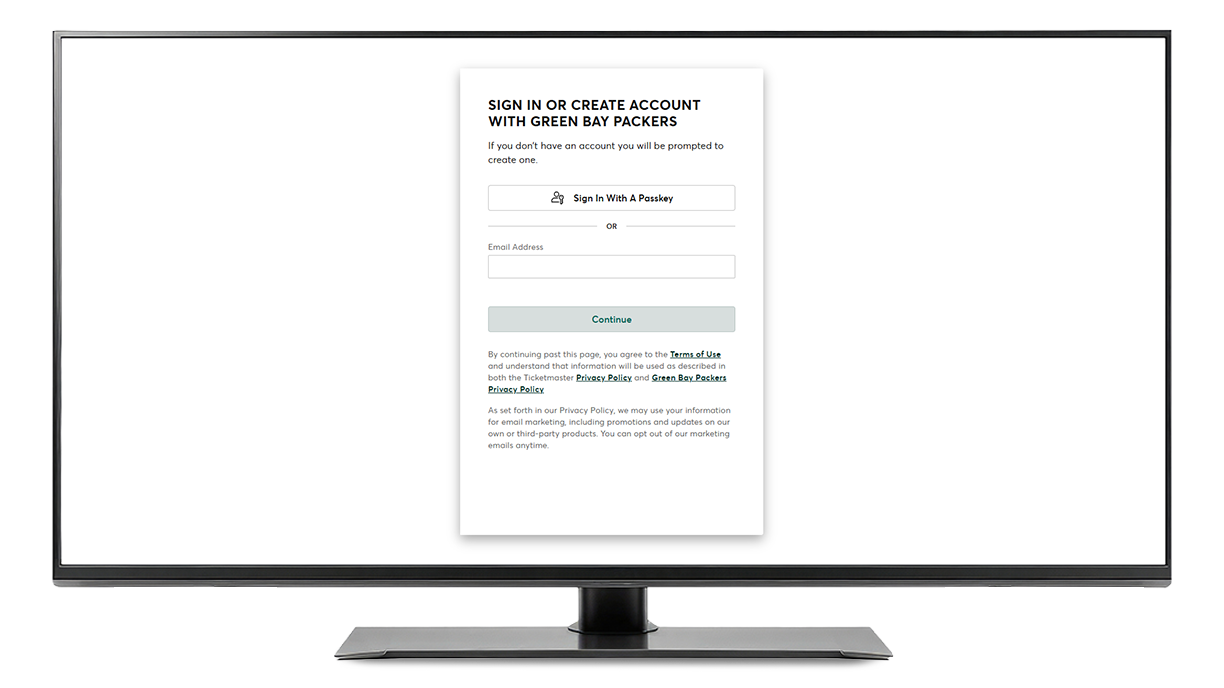
Click 'Log In'.
Step 2
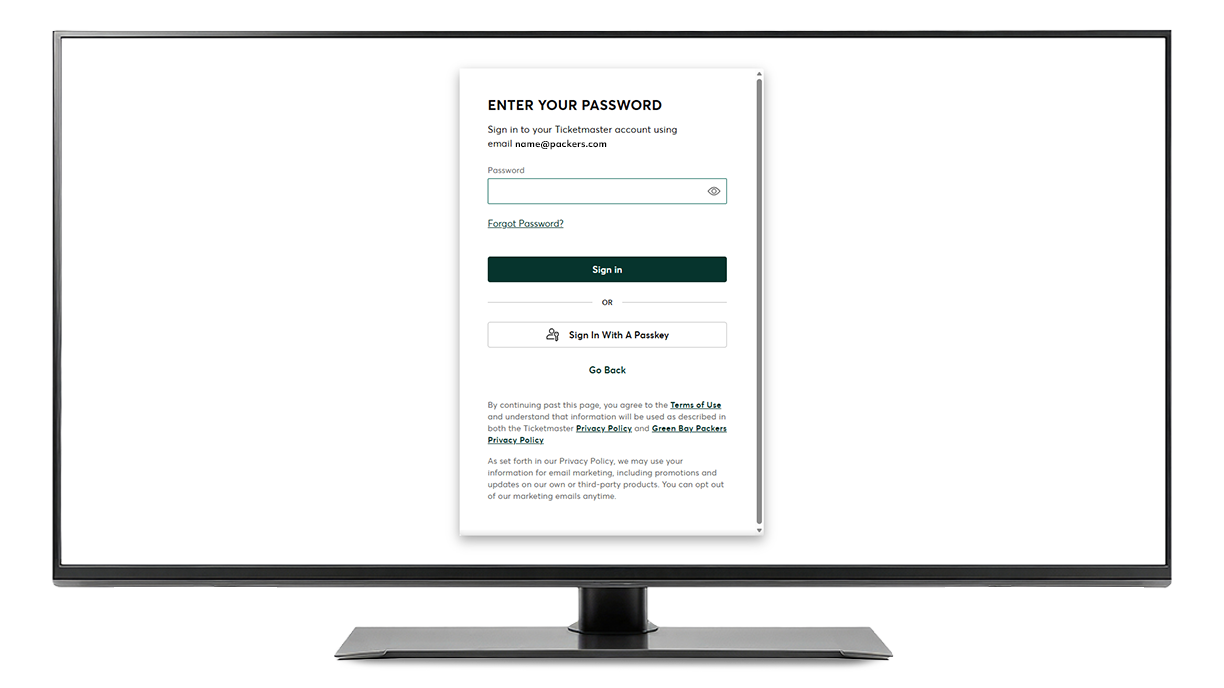
Log in with the email and password associated with your Packers account.
Step 3
If this is your first time signing in to the Packers app or you do not remember your password, click "Forgot Password" and follow the prompts to set up a password (12 characters are required).
Step 4
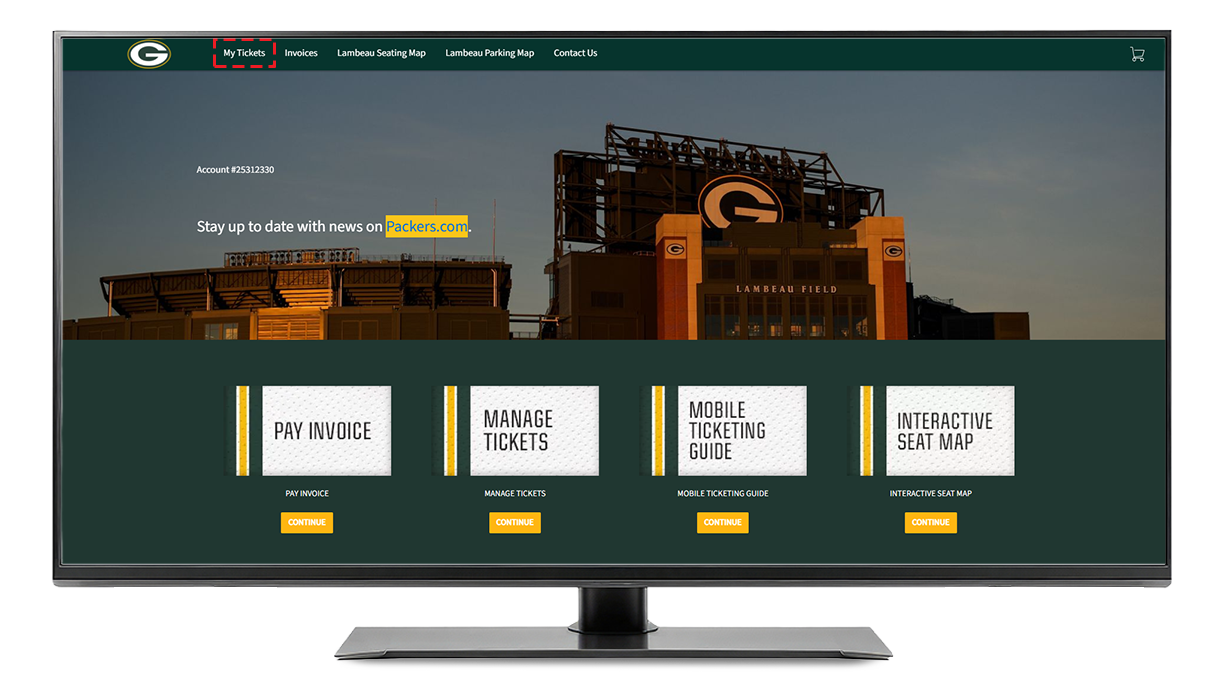
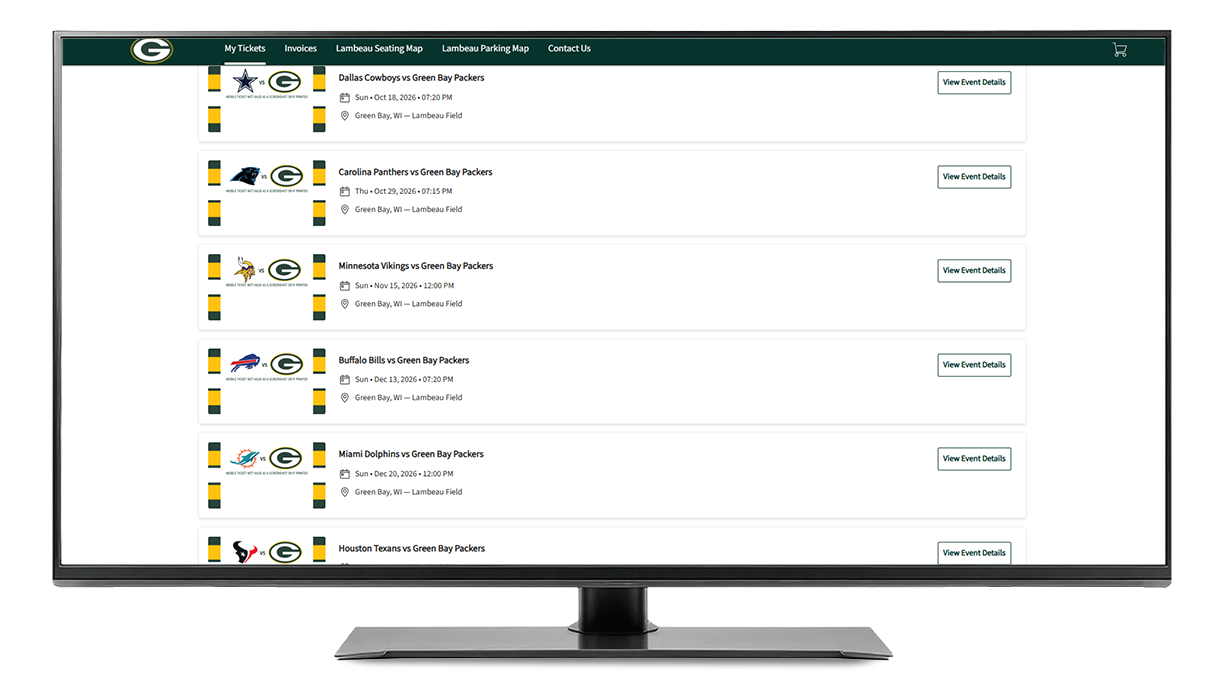
After logging into your Packers account, select the 'My Tickets' option at the top of the account and select the game you want to manage. You will be shown a list of your tickets. Next, select 'Transfer'.
Step 5
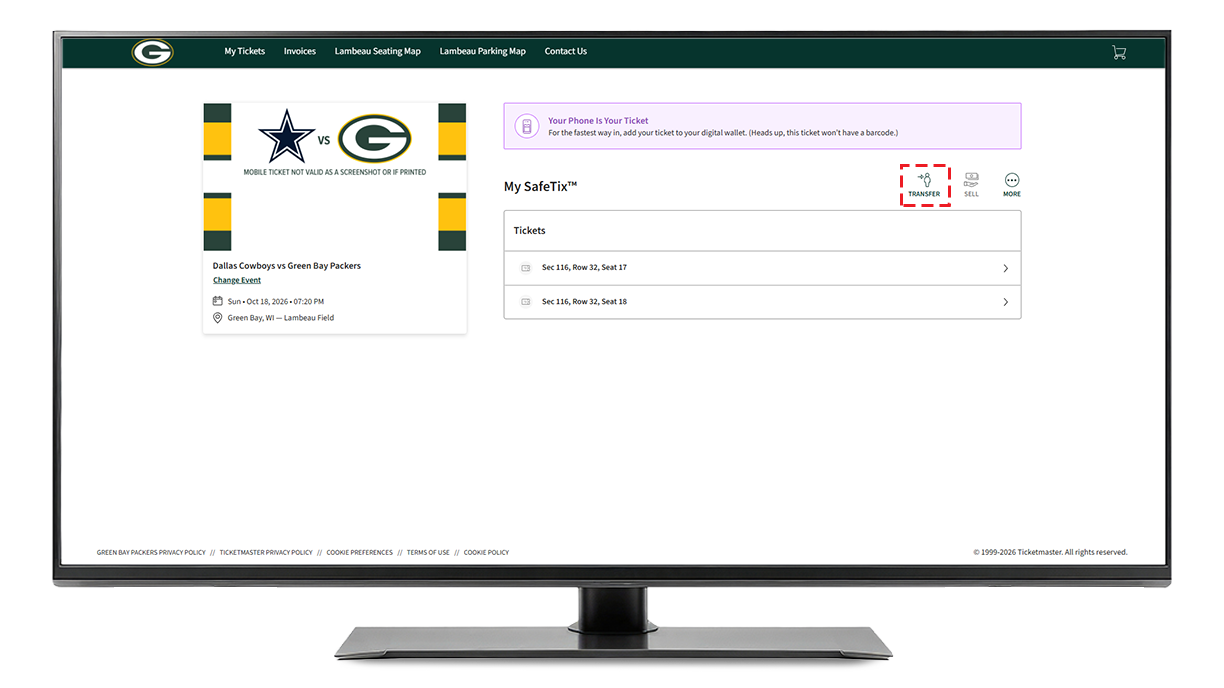
Select the game you want to manage by clicking 'View Event Details.'
Step 6
Next, select 'Transfer'.
Step 7
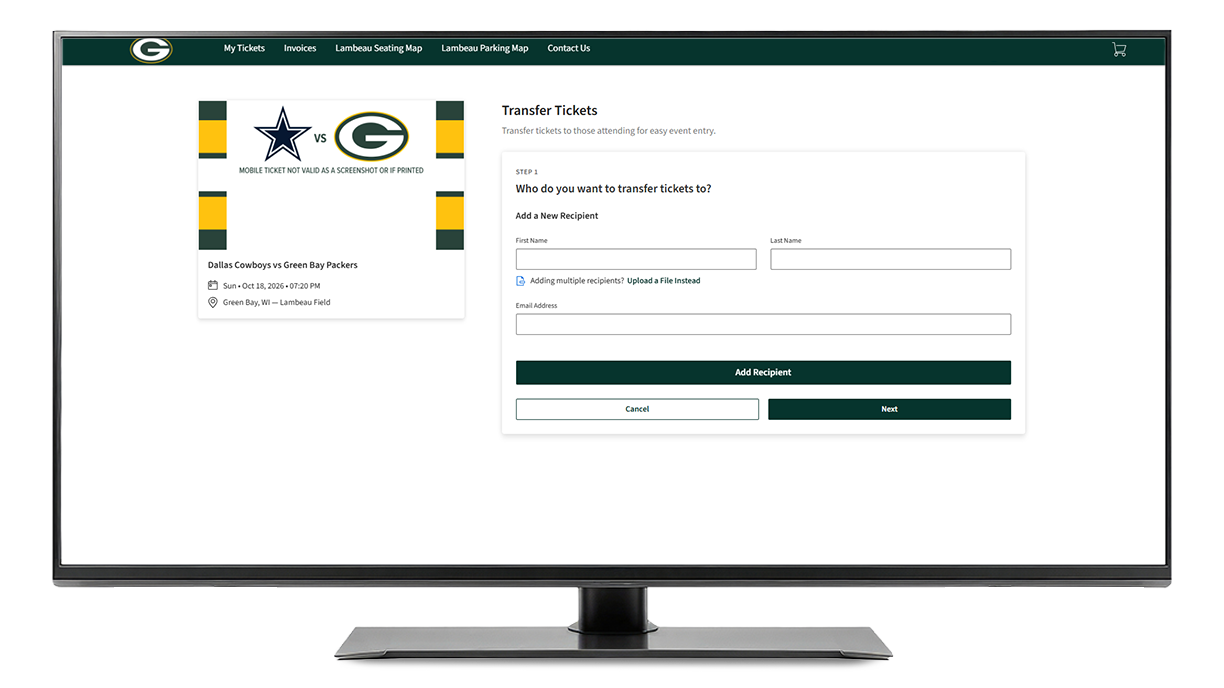
After selecting the seats you want to send, enter the name and email address associated with your recipient's account and click on 'Transfer'.
If your recipient doesn't have an account, they can create one by clicking the link sent to their email. Once the recipient accepts the transfer offer, the tickets will be removed from your account.
Step 8
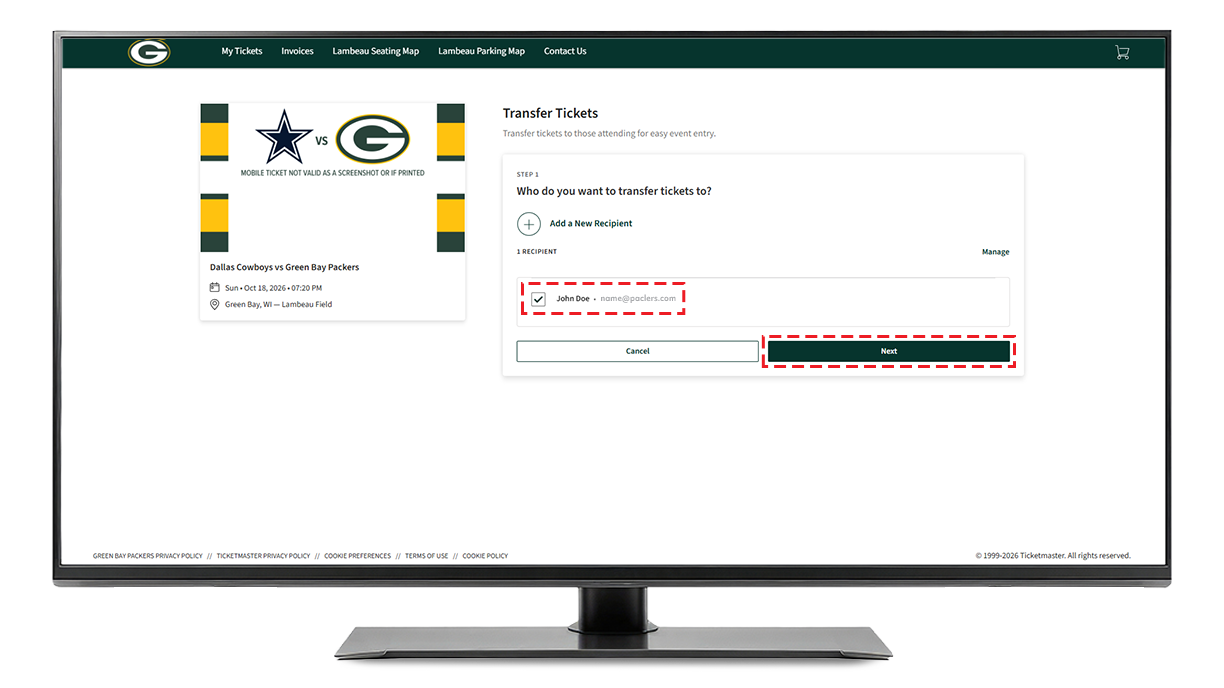
Verify the recipient's information is correct and click 'Next'.
Step 9
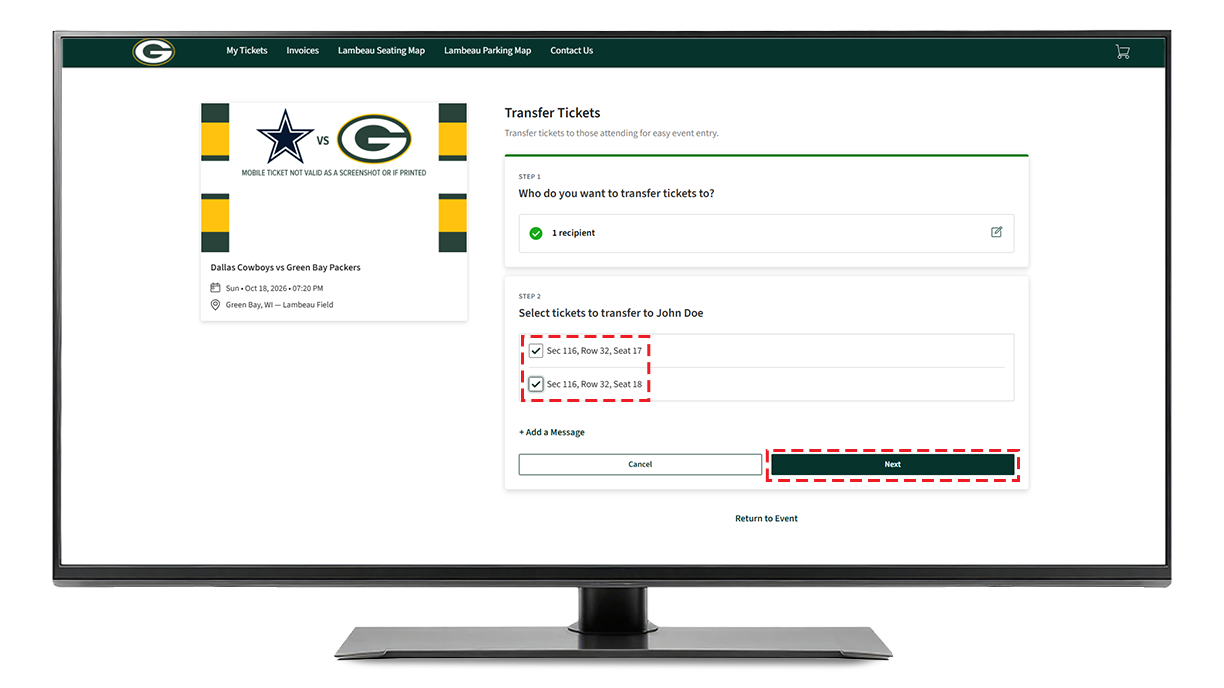
Select the seats you want to transfer and click 'Next'.
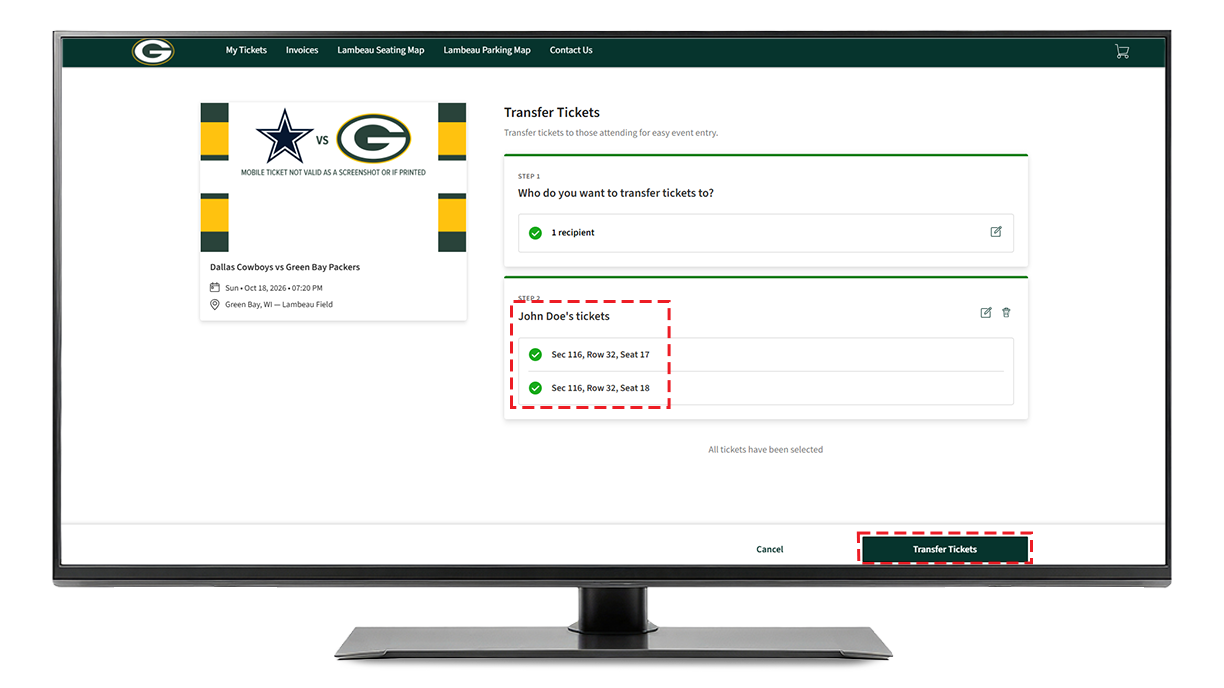
Step 10
Verify the information is correct and click 'Transfer Tickets'.
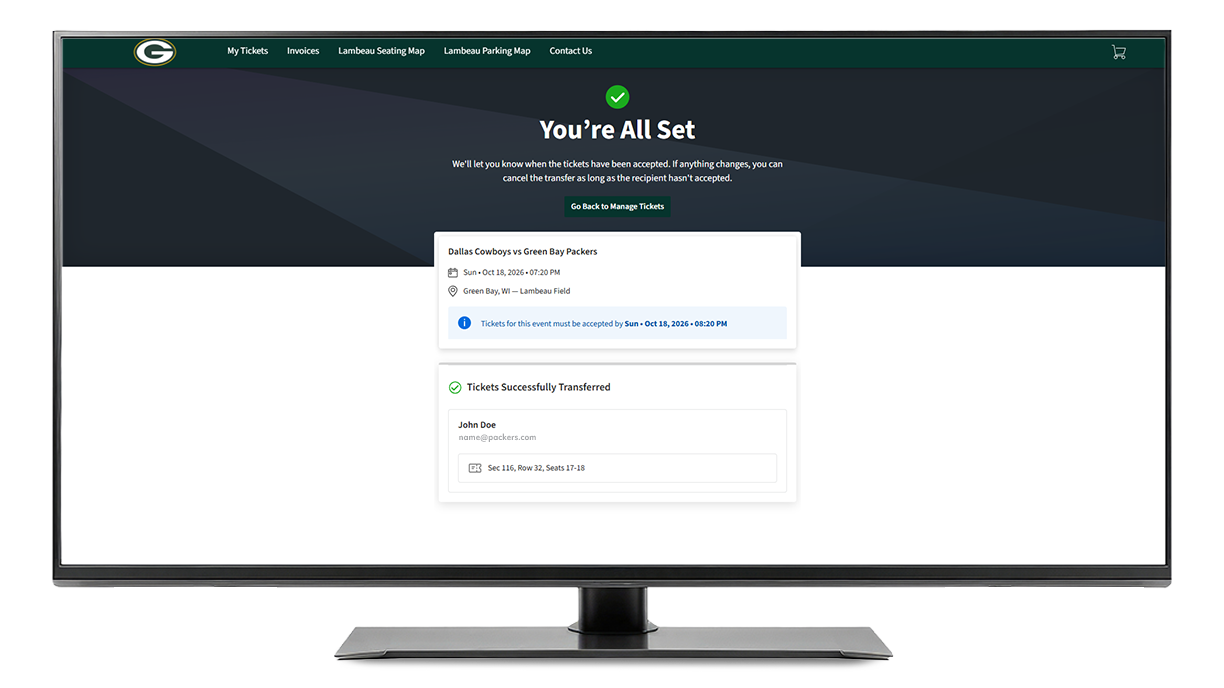
Step 11
The confirmation screen will appear.
Frequently Asked Questions
What is mobile ticketing?
The Green Bay Packers have adopted "mobile entry" for all games at Lambeau Field. Your tickets will be accessible through your 'My Packers Account' via the Packers Mobile App and can be saved to your mobile device for easy entry at stadium gates.
How do I get the Packers app?
Download the free Packers app for Android or iPhone.
Can I still print my tickets from home?
No. As part of a league-wide initiative, the Packers have replaced the print-at-home PDF ticket option with mobile ticketing. PDF tickets will no longer be valid for entry. Fans can enter the stadium using mobile tickets via the free Packers Mobile App.
Can I screenshot my tickets?
Screenshots of tickets will not be accepted. As a part of our secure digital ticketing platform, and to avoid fraud, your barcode will automatically update every few seconds making a photo of your ticket an invalid form of entry into the stadium. Every ticket must be presented from within the Packers Mobile App, Ticketmaster App or your phone's apple wallet.
Can I have multiple tickets on a single phone?
Yes. When accessing your tickets through your account, tap on the game, and you will be able to swipe left and right through your available tickets. If able, we recommend each individual has the ticket on their own mobile device to ensure they can get to and from seats and access different areas of the stadium freely by showing the ticket on their phone. We strongly encourage saving your tickets to your phone's Apple Wallet or Google Pay prior to gameday.
What if my entire party is not with me when I enter Lambeau Field?
Every fan needs to present a ticket to enter Lambeau Field. If your party is not with you, you are able to transfer the ticket to them so they may enter separately by presenting the ticket through their smartphone.
What if I don't have a smartphone?
If you do not have a smartphone, please contact the Packers ticket office at (920) 569-7501 or tickets@packers.com for assistance. Please note if any members of your party have a smartphone the tickets can be accessed from that device.
What if I need help on gameday? Broken device? Battery issues?
You may visit the ticket office located next to the Miller Lite gate on the north end or the auxiliary ticket office on the south end of the stadium on gameday. Please have a valid ID for the name on the account.
How far in advance can I manage my ticket?
After the schedule is released and your account is paid in full, your tickets will be available in your 'My Packers Account' to post for sale on NFL Ticket Exchange, transfer, or donate.
Are my parking passes mobile?
Yes. Season ticket holders who have a parking pass for a Lambeau Field lot can manage their passes through their 'My Packers Account' after the schedule is released.
How do I view my barcode on my mobile ticket?
Once you sign in to your 'My Packers Account', select the game and seat you would like to view the barcode on. Click on 'Ticket Details' to find the 'Barcode Number' for your mobile ticket.
What if I don’t have the Packers mobile app?
You can also access your mobile tickets through the internet browser on your smartphone. Click here to log in to your ‘My Packers Account’.